


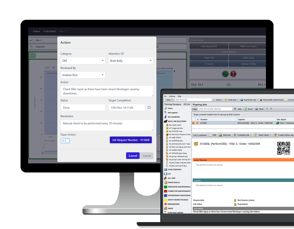


The Future of CMMS is here: Maintmaster CMMS
Have it your way
Making maintenance simpler
Plan work, guide technicians and keep assets, parts and history connected.
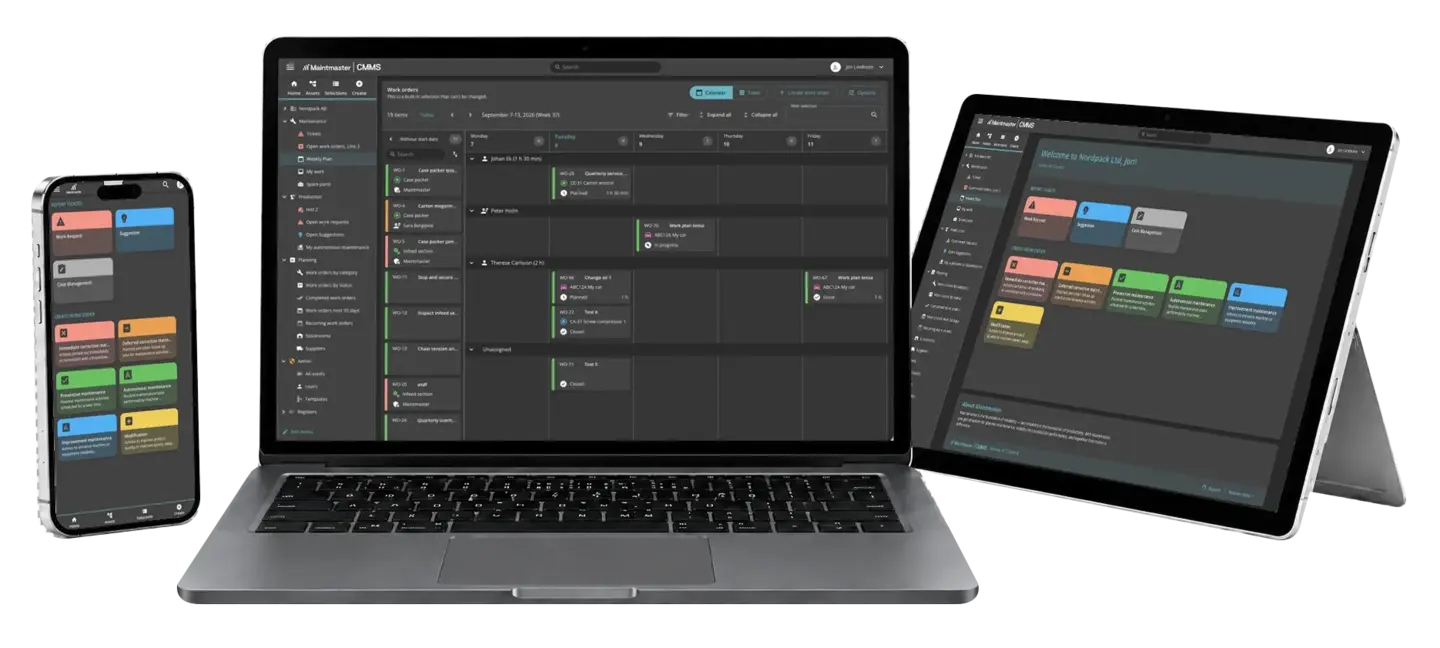
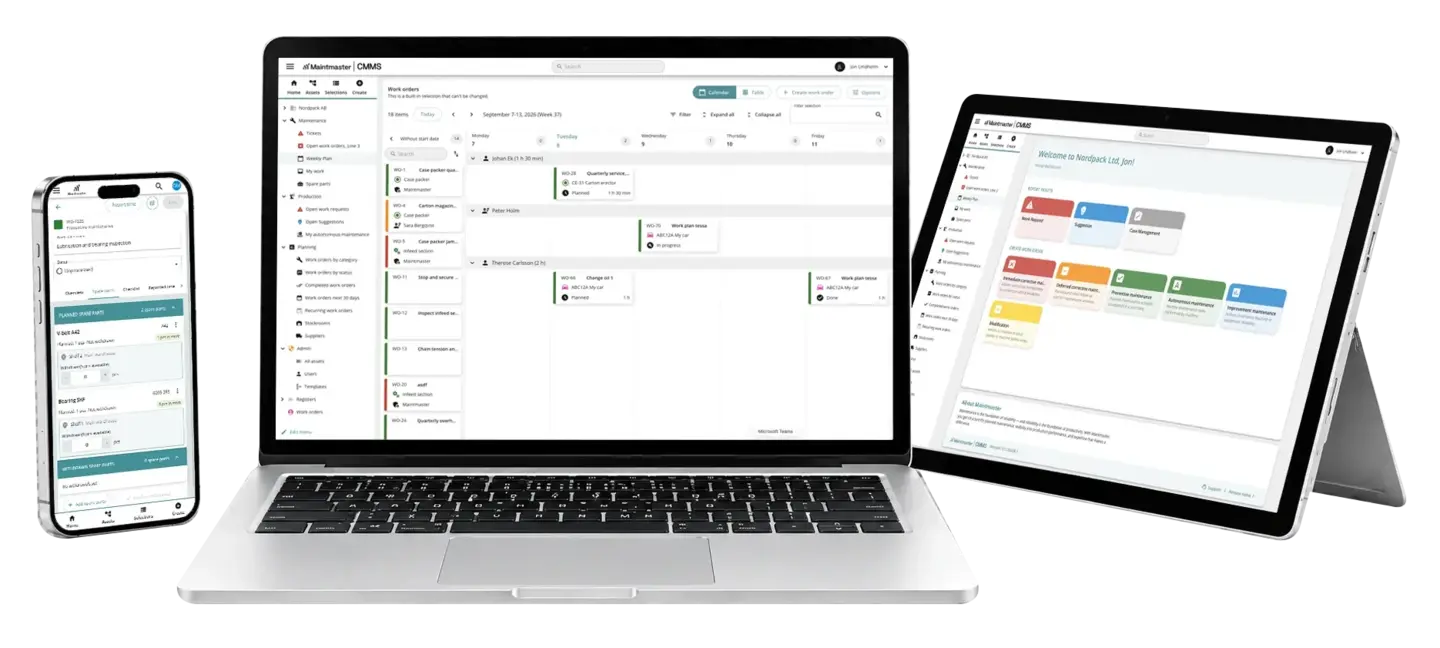

Ready for everyday maintenance
Manage assets, faults, preventive work, inspections and spare parts in one system, from day one.

Get started without complexity
Choose the categories, roles and information your team needs while keeping the system easy to manage.

Built for the whole team
Technicians, operators and managers can find what they need without extensive training.







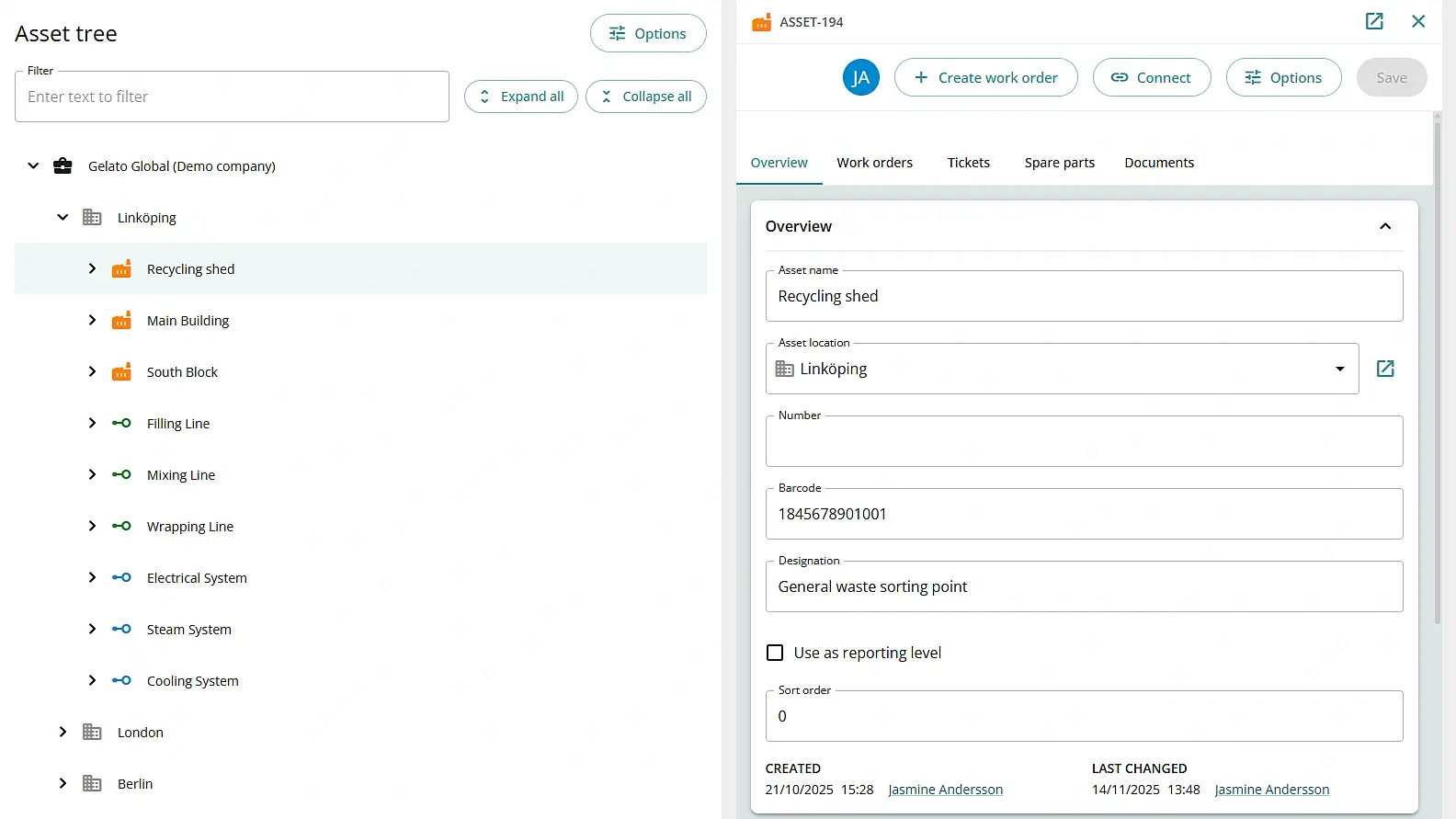
See everything you need to maintain each asset
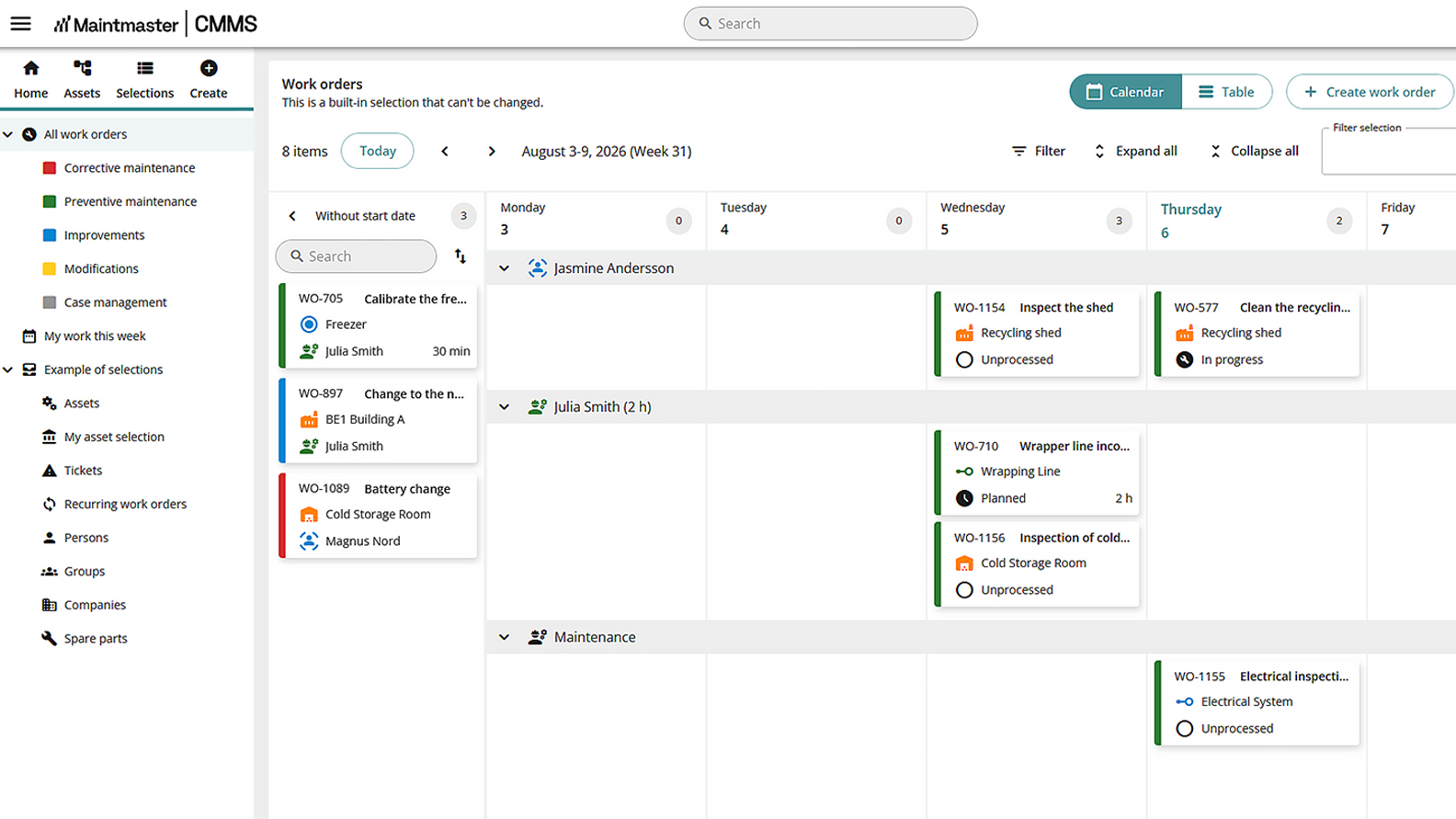
See what is due before it becomes urgent
Recurring maintenance runs today on a schedule. Maintenance based on running hours or operating values is planned.
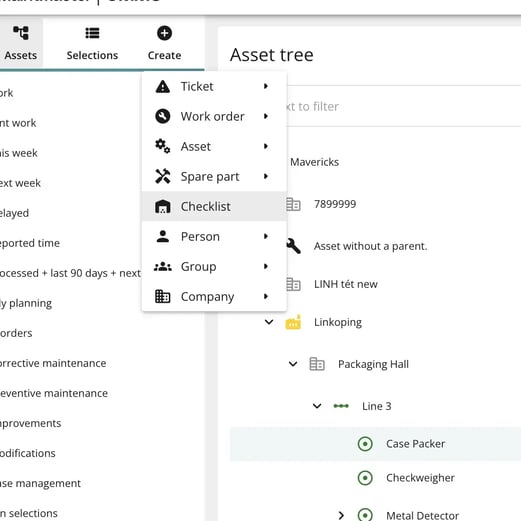
Build your own checklists
Create checklists in the browser with steps, instructions, pictures and the fields you need, so routines are written down the way your team actually works.
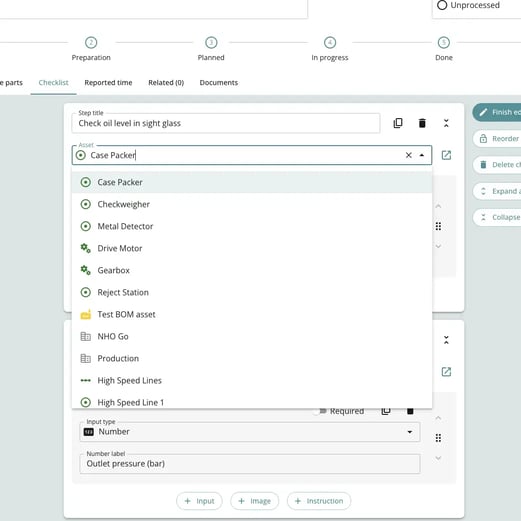
One checklist, many machines
Build a checklist once and connect it to every asset and recurring job it belongs to, so the same equipment is checked the same way every time.
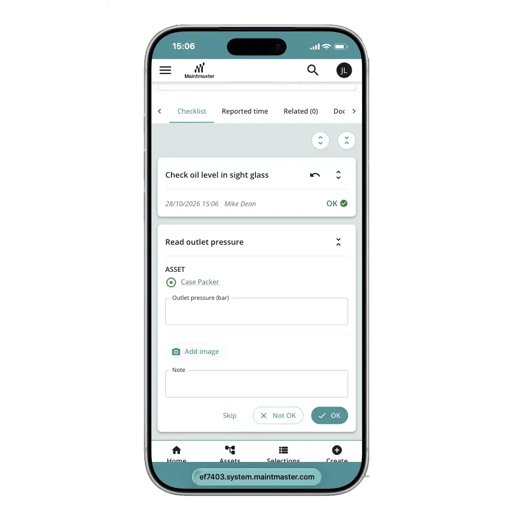
Complete it at the machine
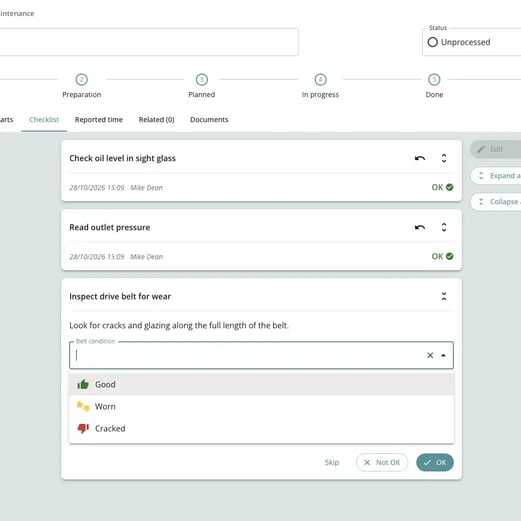
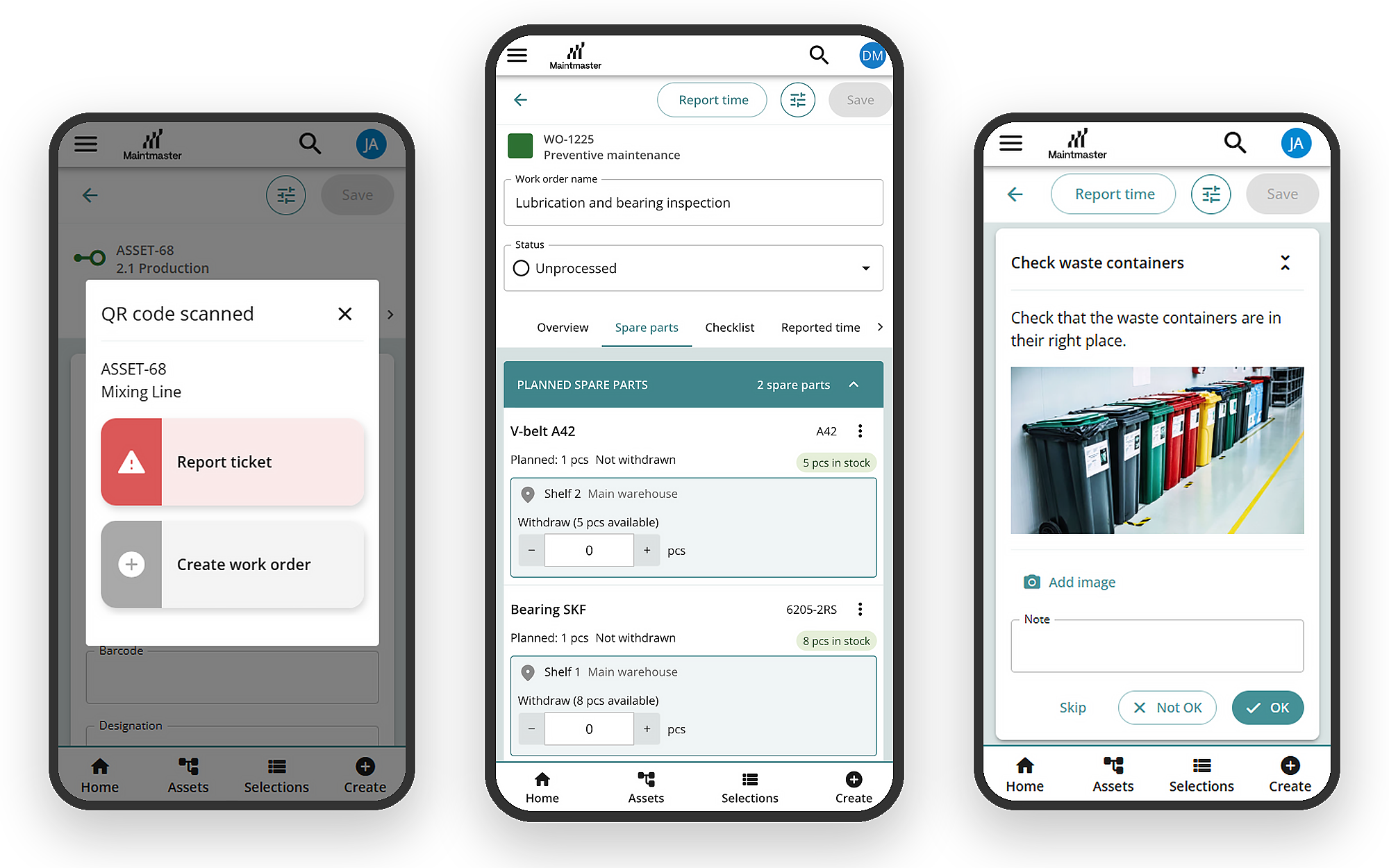
Mark steps OK or Not OK, enter readings and take photos on a phone or tablet, so nothing is written up later from memory.
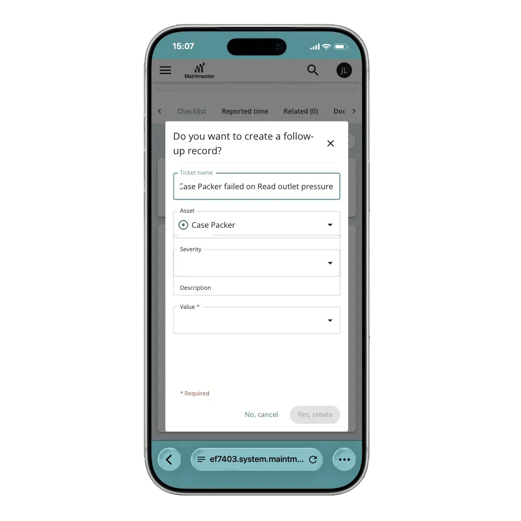
Follow-up from a failed step
Create a ticket or work order straight from the step, with the asset already filled in, so problems found during inspections are acted on.
Proof for audits
Every step records who marked it, when, and which version of the checklist was used, so you can show an auditor what was checked without paper.
Turn complex work into a reusable process
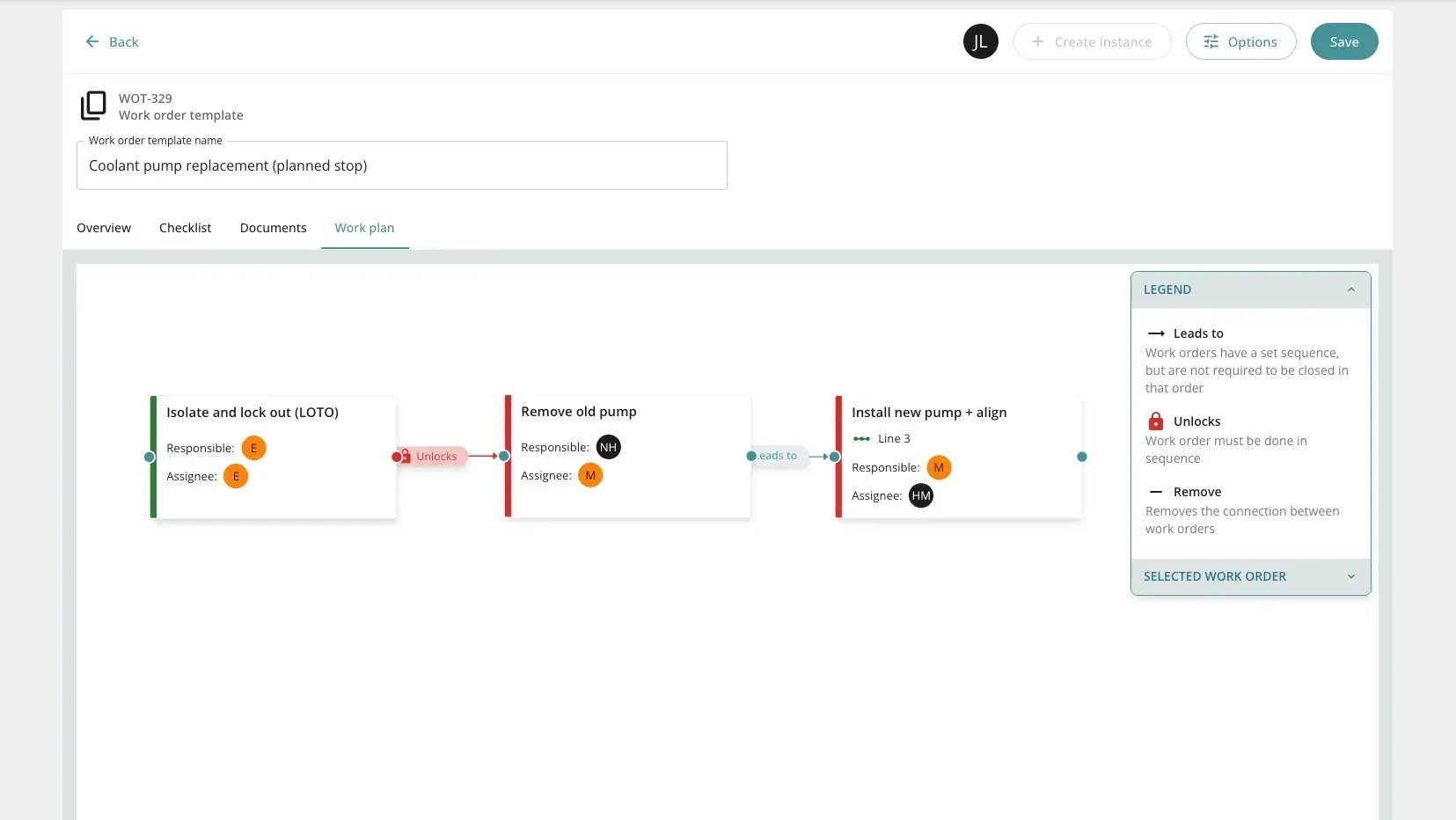
Complete safety checks first
Make sure a risk assessment or preparation step is finished before repair work begins.
Coordinate several people
Assign different parts of a larger job while keeping one person responsible for the overall work.
Repeat the process
Reuse the same sequence for planned shutdowns, inspections or recurring maintenance.
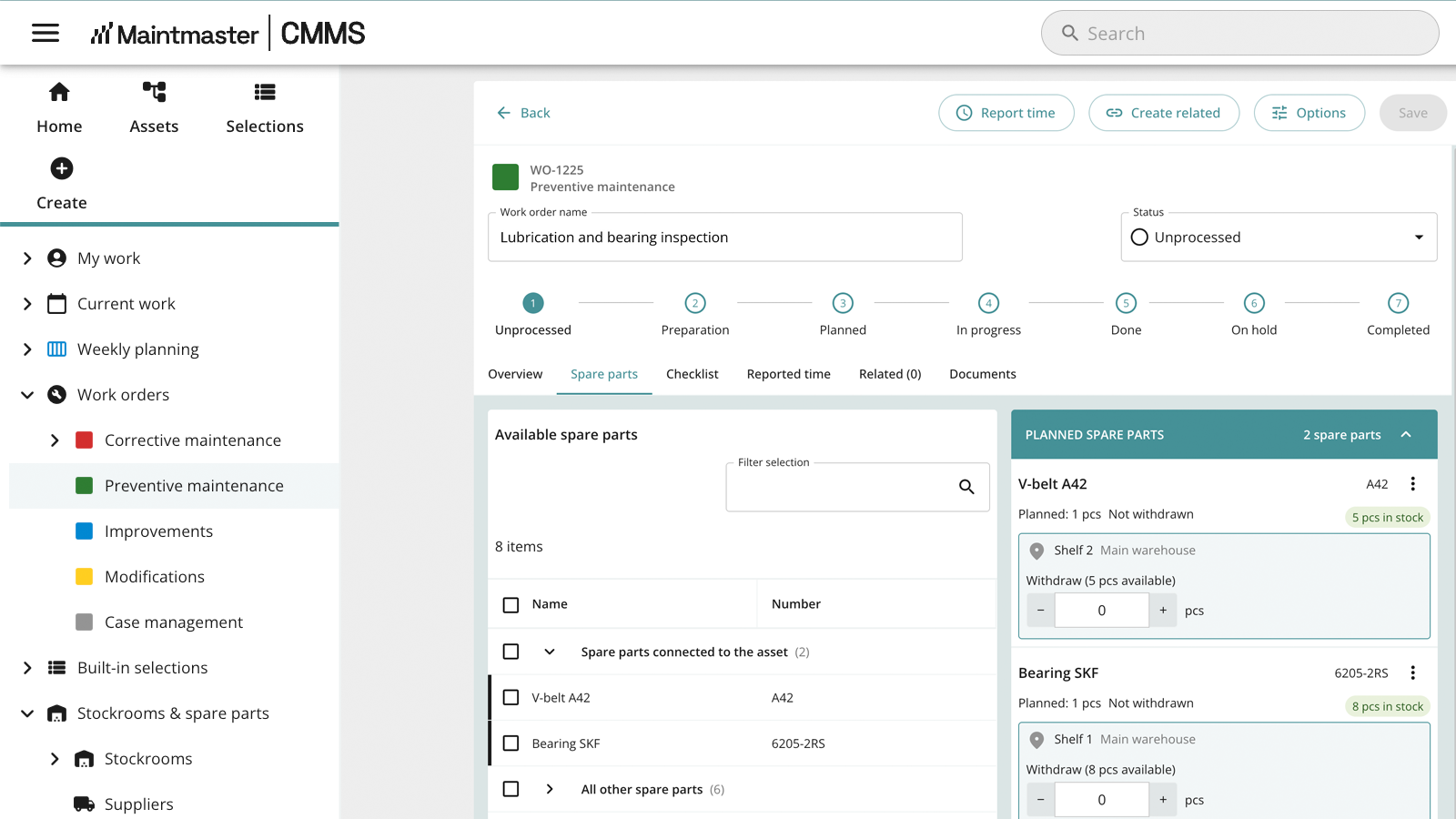
Know what the job needs and where to find it
Reduce time spent searching for parts and keep usage linked to the maintenance work.
Additional stock control and inventory management features are planned.
Structure that drives better maintenance decisions
Capture the information that matters without unnecessary admin, giving managers a more reliable view of asset history, recurring issues and maintenance performance.
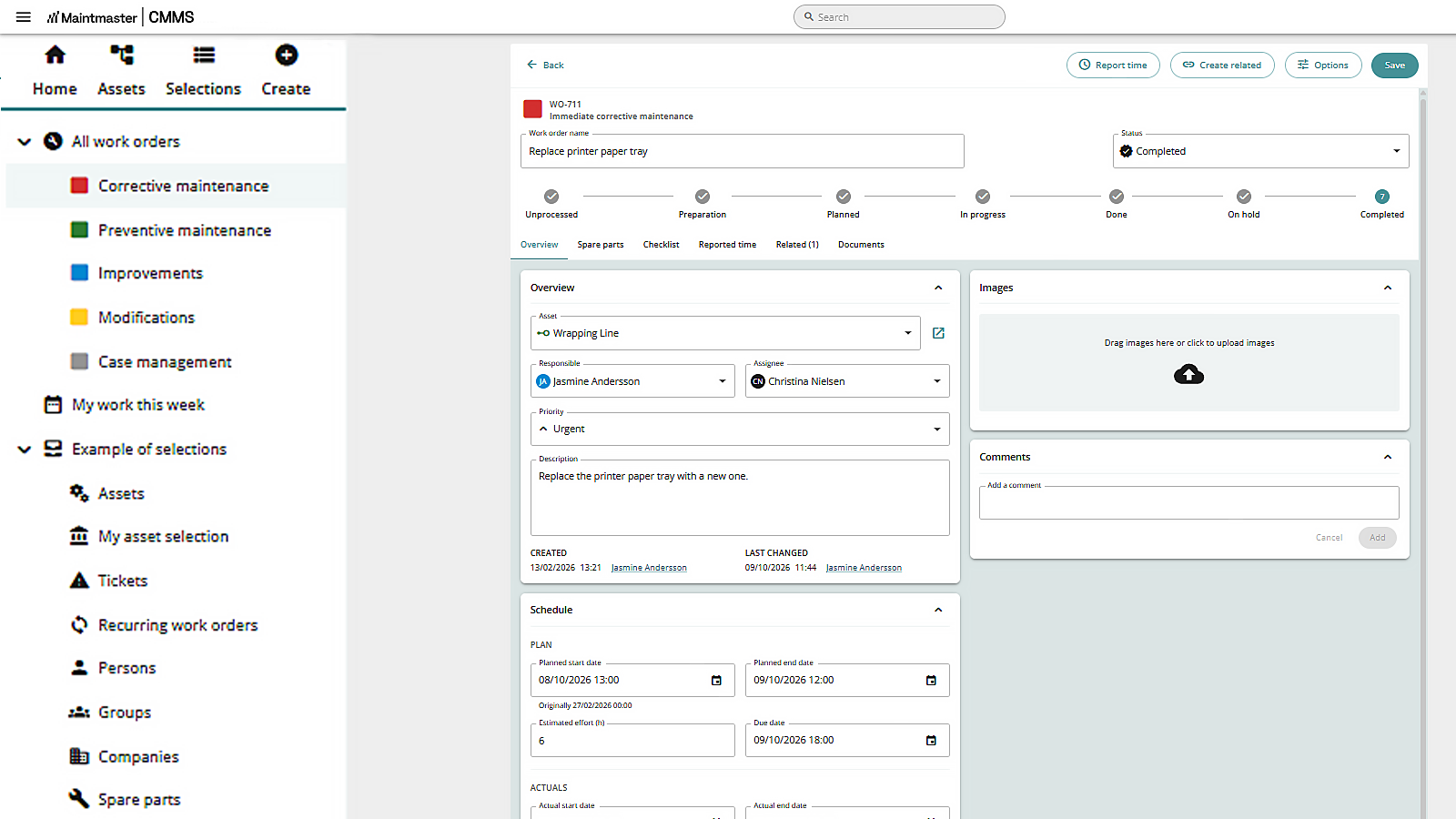
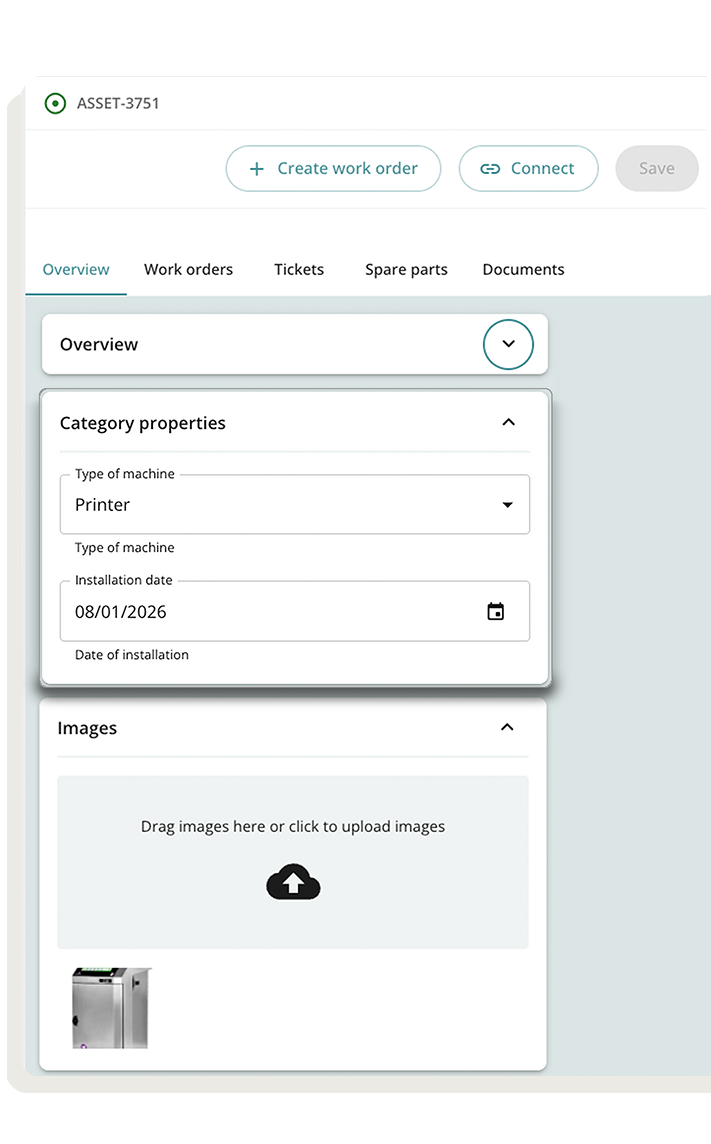
Required properties
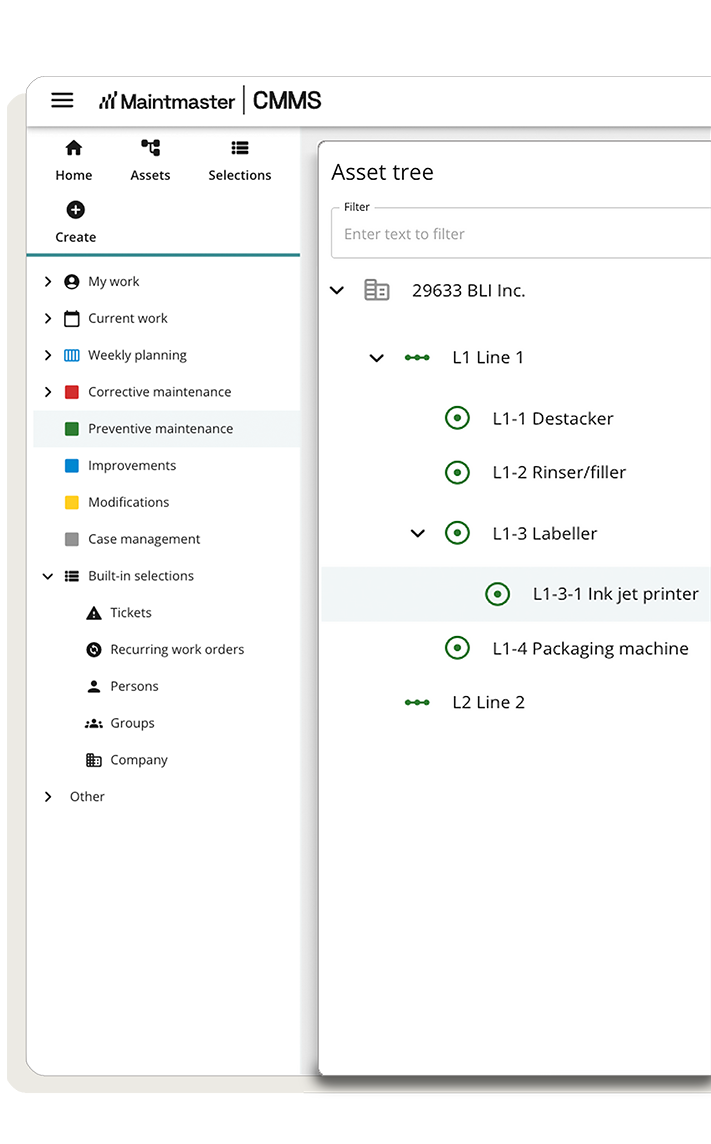
Asset categories
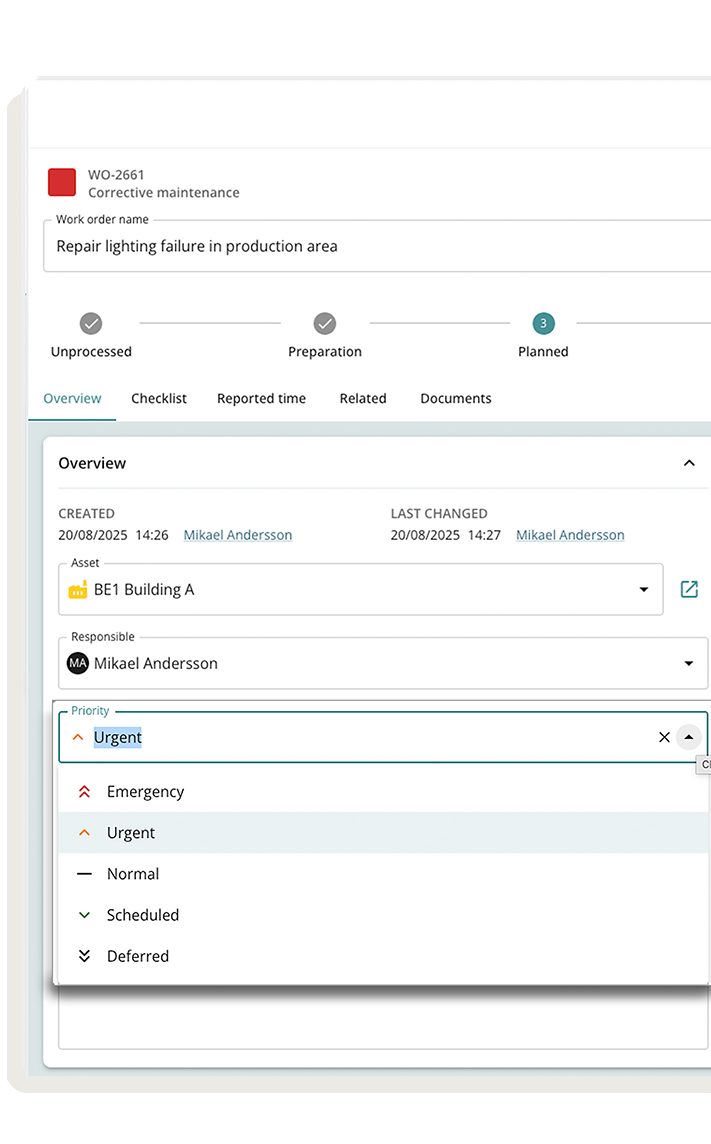
Work order priorities
Define what is urgent and what can wait, so teams stay focused and work gets actioned in the right order.
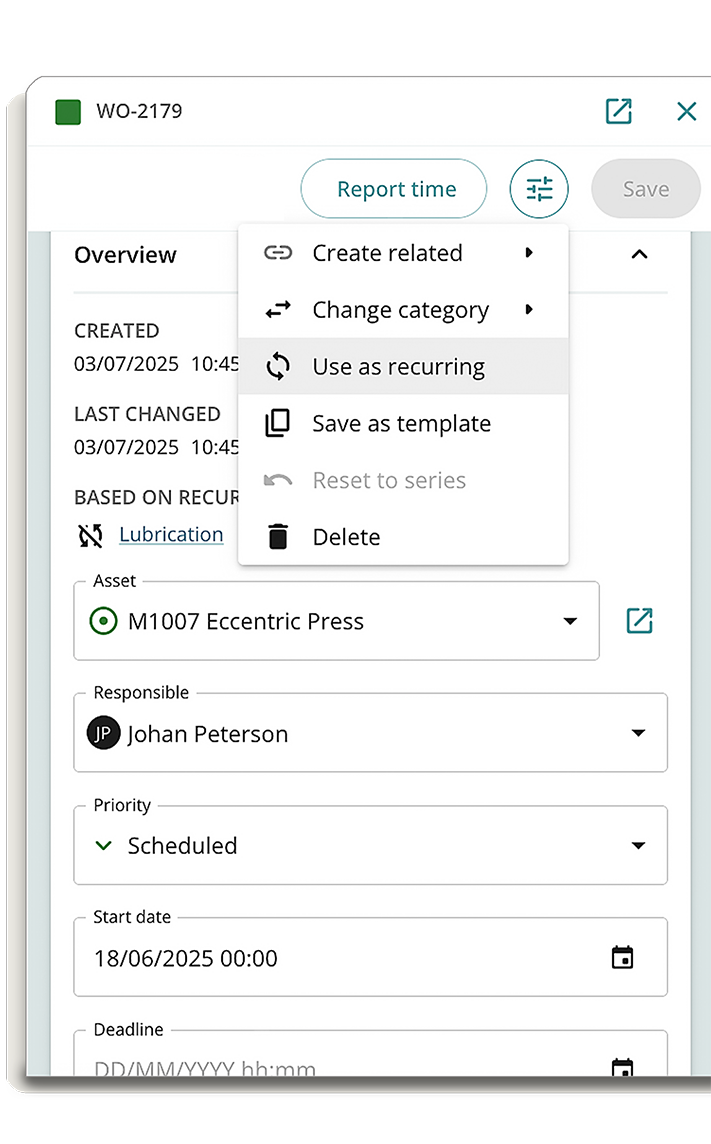
Planning and scheduling
Use recurring work orders to plan and repeat maintenance, so preventive work is carried out consistently over time.
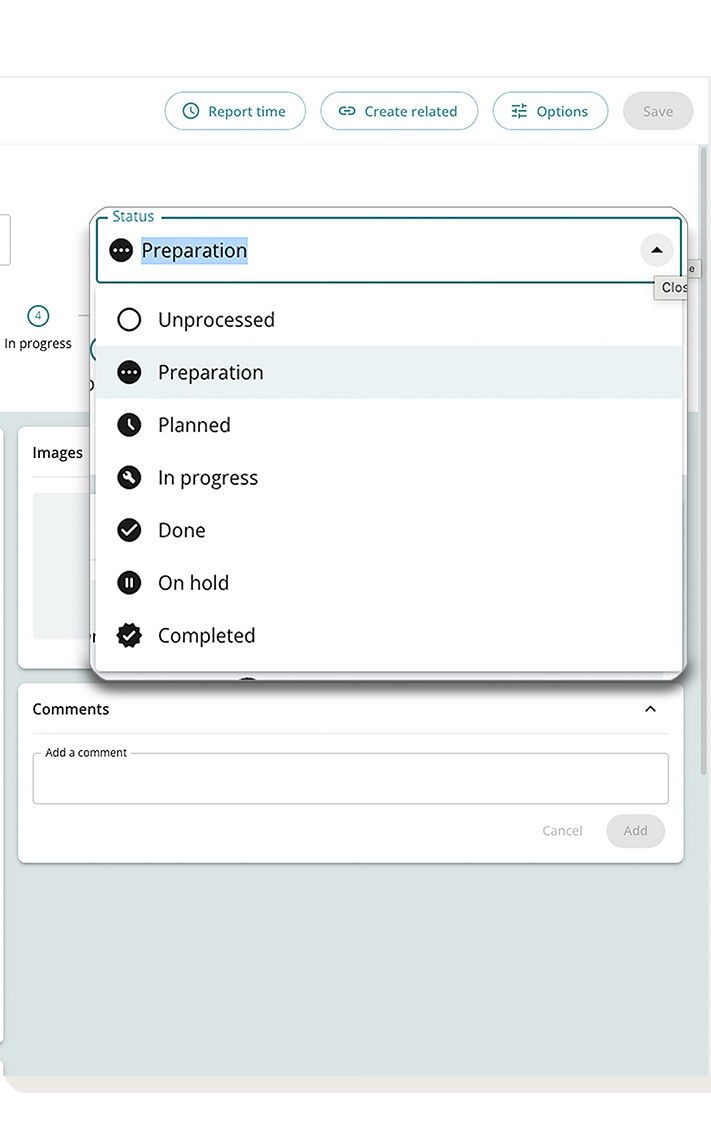
Relevant completion codes only
Show only the right completion options for each job, so work is recorded consistently and data actually makes sense.
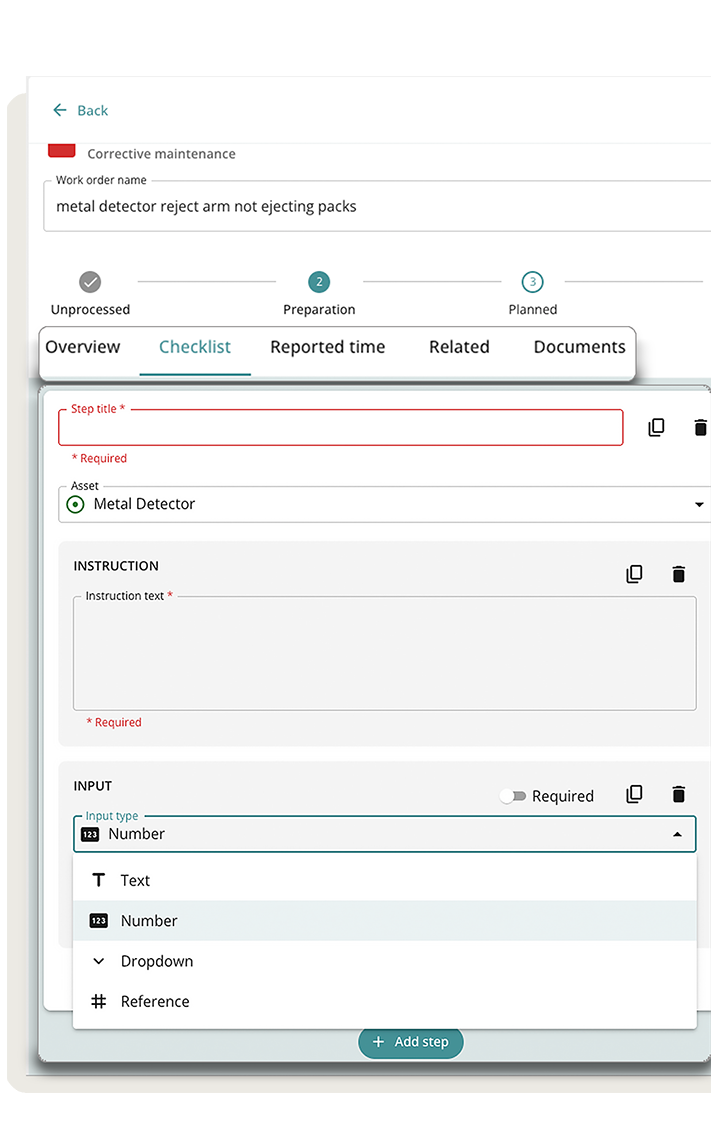
Follow-up behaviours in checklists
Ensure issues found during inspections lead to action, so nothing gets missed and work moves forward.
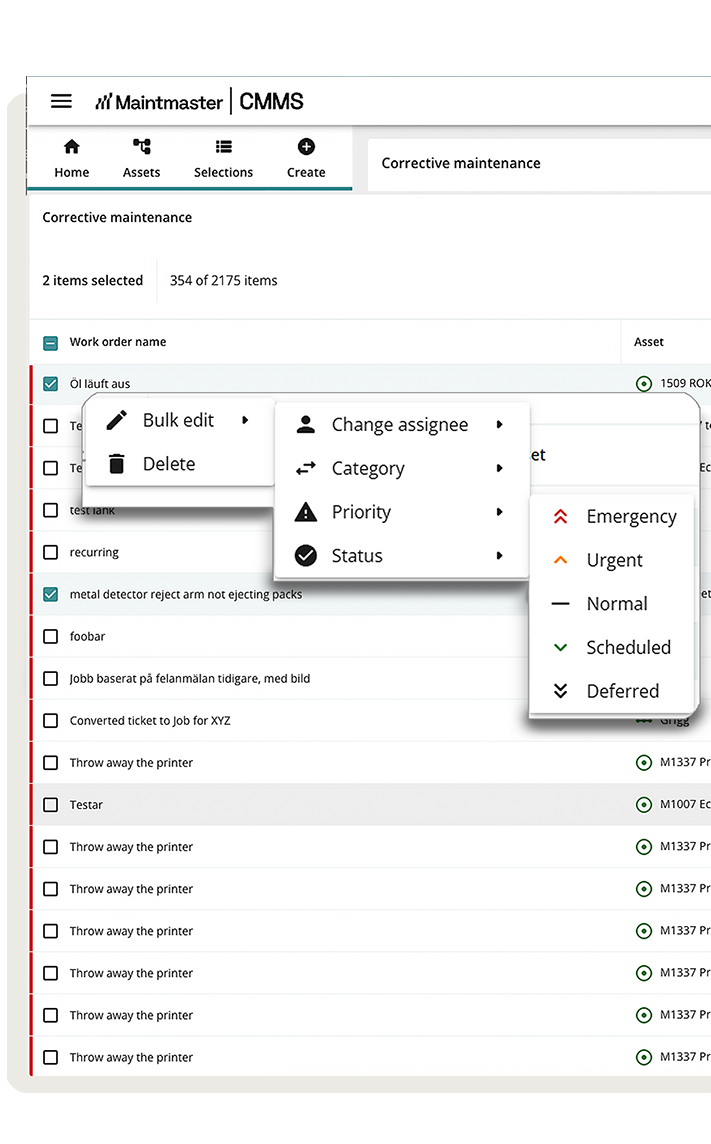
Bulk actions for work orders and tickets
Update multiple work orders at once, reducing repetitive work and making it easier to adjust plans quickly.
Put the right information in your technicians’ hands


Production & Maintenance Alignment
Boost uptime and efficiency with seamless alignment between maintenance and production.

Maintenance Alerts & Analysis
Identify issues early, prevent unplanned downtime, and move from reactive to proactive maintenance.

Audits & Compliance
Digitise maintenance, ensure compliance, and stay audit-ready without slowing production.

Operator Maintenance
Structure, scale, and optimise operator maintenance to boost efficiency and maximise plant availability.

IoT Sensors
Monitor equipment conditions in real time with pre-configured gateways and sensors that integrate seamlessly with your CMMS. Simple to set up and ready to use.

CMMS & AI
Turn maintenance data into clear, actionable insights. Helping teams spot patterns, solve root causes, and improve reliability.
Learn more
Connect manufacturing excellence
Integrate your existing systems like accounts, stock, suppliers, or purchasing with expert roadmaps and flawless functionality.
Learn more about our integrations
See how CMMS would work for your team
Book a demo and we will show how CMMS can help you manage assets, planned work, reported faults, inspections and spare parts.