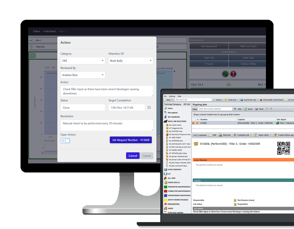
Integration as a service
We host it
- An integration Windows server, SQL Server and an SFTP server for secure file transfer.
- All in the same Microsoft Azure environment as your Maintmaster.
- Nothing to install on your side.
Who looks after it: we do

What we do
This is Maintmaster
Industries
Contact us
OEE software


What we do
This is Maintmaster
Industries
Contact us
OEE software
Integrations
Your ERP stays in charge of parts, purchasing and costs. Your technicians work in Maintmaster. We build the link between the two, and we keep it running.
Works with SAP · Microsoft Dynamics 365 · IFS · Infor M3 · Monitor · Visma · Jeeves · and more
Which systems
Most integrations connect Maintmaster to an ERP, a warehouse lift, a production system or a reporting tool.
 SAP
SAP Microsoft Dynamics 365
 IFS
IFS Infor M3
 Monitor
 Visma
Visma Jeeves
 Kardex
 Compact Store
 SupplyPoint
 IA
IA M-Files
 Comos
Comos Power BI
 Qlik
Qlik Excel
Excel SQL Server
 Microsoft Entra ID
Don't see your system? Every integration runs through a hub: a database, shared files or middleware such as BizTalk. If your system can use one of those, we can connect it.
Ask us about yoursData flows
Every piece of information has one owner. The other system gets a copy, so nobody types it twice.
The most common flows. In the scoping call, you decide which ones you need and which system owns each.
| What | Direction | Usually owned by |
|---|---|---|
| Articles and suppliers | ERP→Maintmaster | ERP |
| Stock balances | ERP⇄Maintmaster | ERP |
| Spare parts used on a job | Maintmaster→ERP | Maintmaster |
| Purchase requests and orders | Maintmaster⇄ERP | ERP |
| Costs of maintenance work | Maintmaster→ERP | Maintmaster |
| Employees | HR system→Maintmaster | HR system |
| Machine hours, kilometres, produced units | Machine→Maintmaster | Machine or production system |
| Fault reports | Production system or intranet→Maintmaster | Production system |
| Jobs and job reports | Maintmaster⇄Other system | Maintmaster |
| Maintenance data for reports | Maintmaster→Power BI or SQL | Maintmaster |
You choose how often each flow runs: every minute, every hour or once a day.
Hosting
The integration runs on an integration server. You choose where it lives.
Integration as a service
Who looks after it: we do
On your own server
Who looks after it: you run the server (availability, monitoring, patches, antivirus); we support the integration
Just need maintenance data in your reports? With Selection to SQL, you copy the data you choose to your own SQL Server, as often as you like, and use it in Power BI, Qlik or Excel. You set it up yourself.
How a project runs
Five steps, from scoping call to go-live. Everything is agreed with you before any work starts.
Together we decide what to connect, which way it moves, which system owns it, how often it runs and who is responsible for the data.
One of our integration experts agrees the scope and the plan with you.
Our integration specialists configure the adapters, with a test and a production version.
You test with your own data before anything goes live.
We start the integration and keep an eye on it. Later, you can make many adjustments yourself, in Maintmaster.
Time
How long it takes depends mostly on the ERP side: how quickly your ERP partner can send and receive the agreed data. You get a timeline with your quote, so bring your ERP partner in early.
Good to know
You don't have to wait for the integration to get started. Many customers go live with Maintmaster first, and connect their ERP once the basics are running.
Cost
Every integration project is scoped and agreed with one of our integration experts.
No two setups are the same. So we look at your systems and your flows together first, and you know what you get before any work starts.
Talk to an integration expertFor IT
What we need from you, and what we take care of.
PDFs open straight away. No form. All white papers
Customers

MonitorStock in both systems
We had to integrate Monitor that manages inventory, accounting and pretty much everything. The system is integrated but we use Maintmaster as intended.
Anders CarlbergProduction Technician, Svensk Plaståtervinning
Stock balances update in both systems. Spare parts a technician uses are added to the job and updated in Monitor.
Read the story
SAPProduction data system
The ticket then appears directly on the dashboard of the technicians.
Michael RindlerIT administrator, Risse + Wilke
Technicians look up SAP spare parts on site. When an operator reports a fault in the production data system, a ticket is created in Maintmaster automatically.
Read the storyYes. We connect Maintmaster to SAP through the same integration hub as any other ERP. The usual flows are spare parts, stock and purchasing, with SAP as the owner of that data. At Risse + Wilke, technicians look up SAP spare parts on site.
Both. We use ready-made adapters, and our integration specialists configure them for your flows and your rules. It is not plug-and-play, and that is on purpose: your ERP is set up in its own way.
You decide in the scoping call, one type of data at a time. Usually the ERP owns articles, suppliers, purchasing and costs, and Maintmaster owns jobs, assets and everything technicians record.
Every integration project is scoped and agreed with one of our integration experts, so you know what you get before any work starts.
It depends mostly on the ERP side: how quickly your ERP partner can send and receive the agreed data. You get a timeline with your quote.
Someone who knows your ERP and can make it send and receive the agreed data, through a database, shared files or an API. Plus one contact person for the project.
The integration hub keeps the two systems independent, so either side can be updated or replaced without affecting the integration. If you replace your ERP, the new one connects to the same hub.
Yes. Our integration specialists do the first set-up. After that, you can make many adjustments yourself, with tools you already know from Maintmaster.
Yes. Many customers go live with Maintmaster first and add integrations later.
Contact
An integration specialist gets back to you with the questions that matter for your setup.
Tell us which system you use, and what should move between it and Maintmaster.