Skip to content

The Future of CMMS is here: Maintmaster CMMS 10

Have it your way

Making maintenance simpler

Plan work, guide technicians and keep assets, parts and history connected.
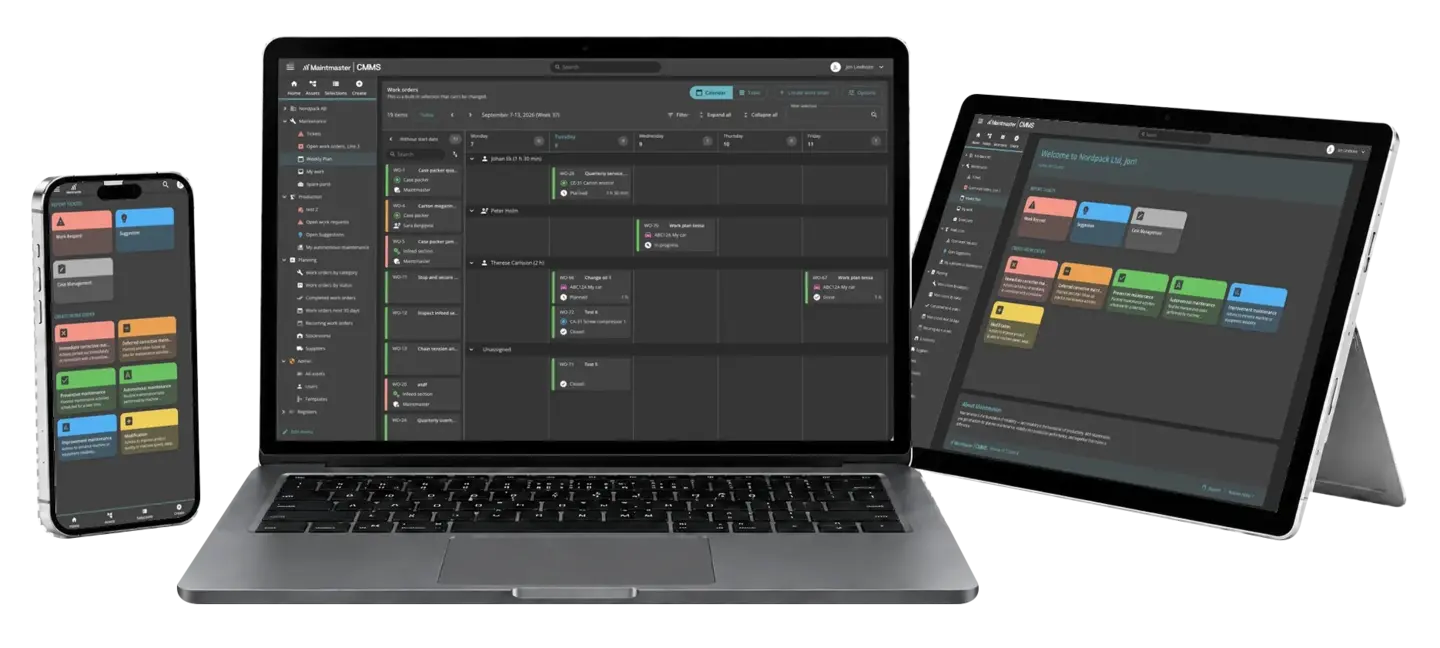
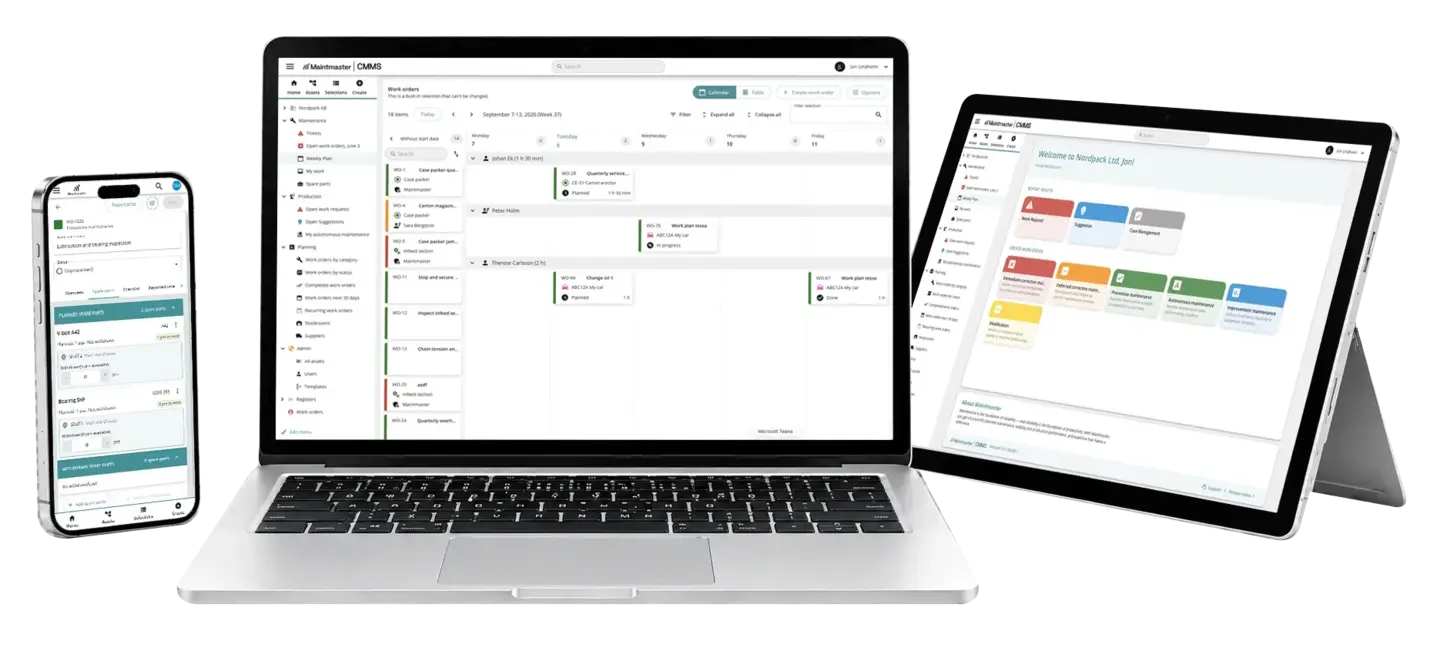
MaintMaster CMMS 10 shown in dark mode on a phone, laptop and tablet.

Built around the way maintenance teams work

CMMS 10 is built around the work maintenance teams do every day.
You can manage assets, faults, planned jobs, inspections and spare parts without having to design every process or screen yourself.

jobs-completed-correctly-icon

Ready for everyday maintenance

Manage assets, faults, preventive work, inspections and spare parts in one system, from day one.

permit-fingertip-mobile-cmms-icon

Get started without complexity

Choose the categories, roles and information your team needs while keeping the system easy to manage.

icon-group-of-people-brand-colours

Built for the whole team

Technicians, operators and managers can find what they need without extensive training.

Maintmaster is trusted by more than 700 manufacturers across 39 countries

From request to maintenance history

See how work moves through CMMS 10

Less time managing systems. More time preventing breakdowns and completing the right work.

01
Work identified
An operator reports a fault against the asset.
02
Work planned
Maintenance decides the response and schedules the work.
03
Work completed
A technician follows the instructions and completes the job.
04
Time and parts recorded
Time spent and parts used are recorded as the work is completed.
05
History updated
A clear maintenance record remains against the equipment.
Assets and equipment

See everything you need to maintain each asset
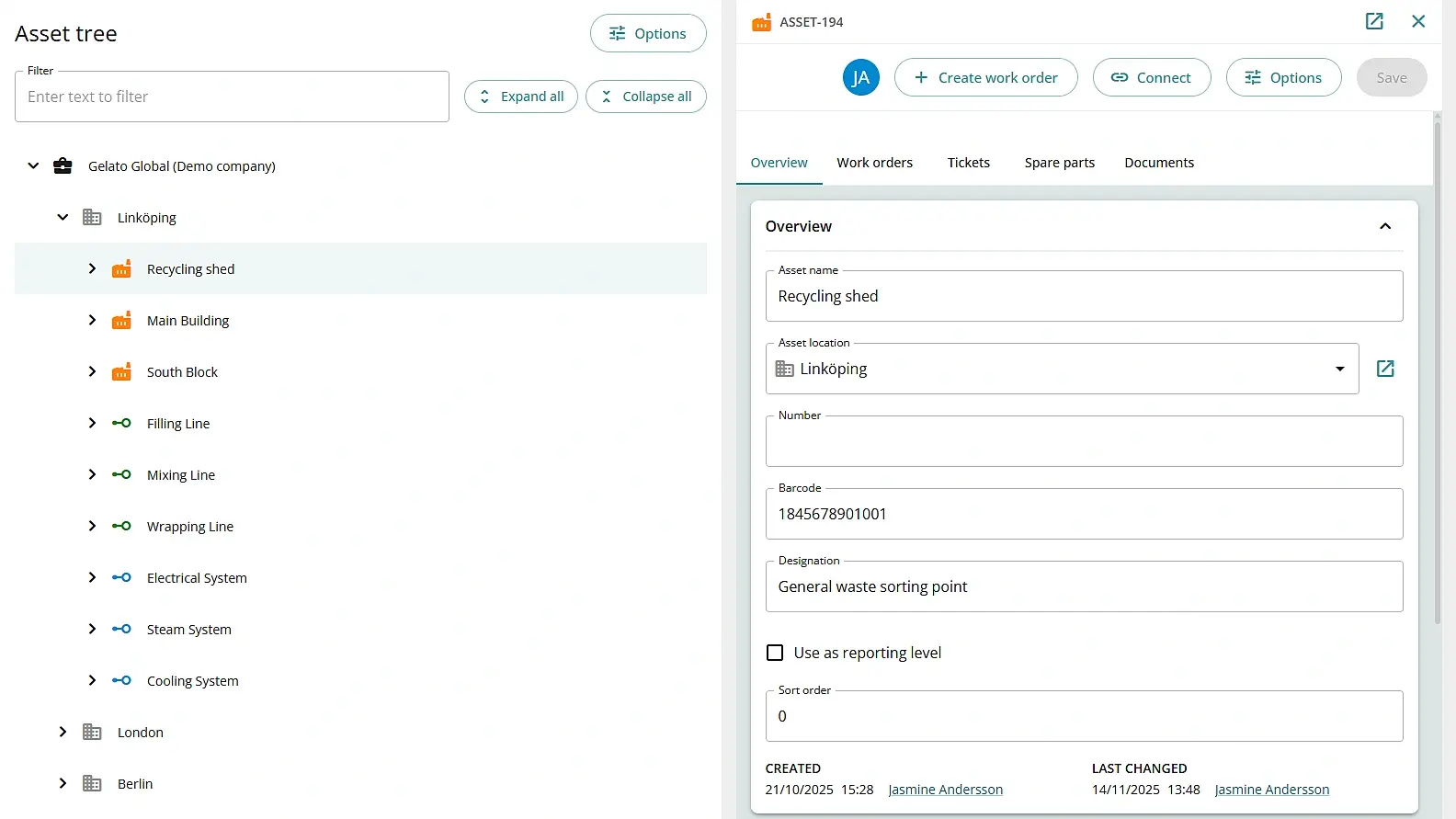
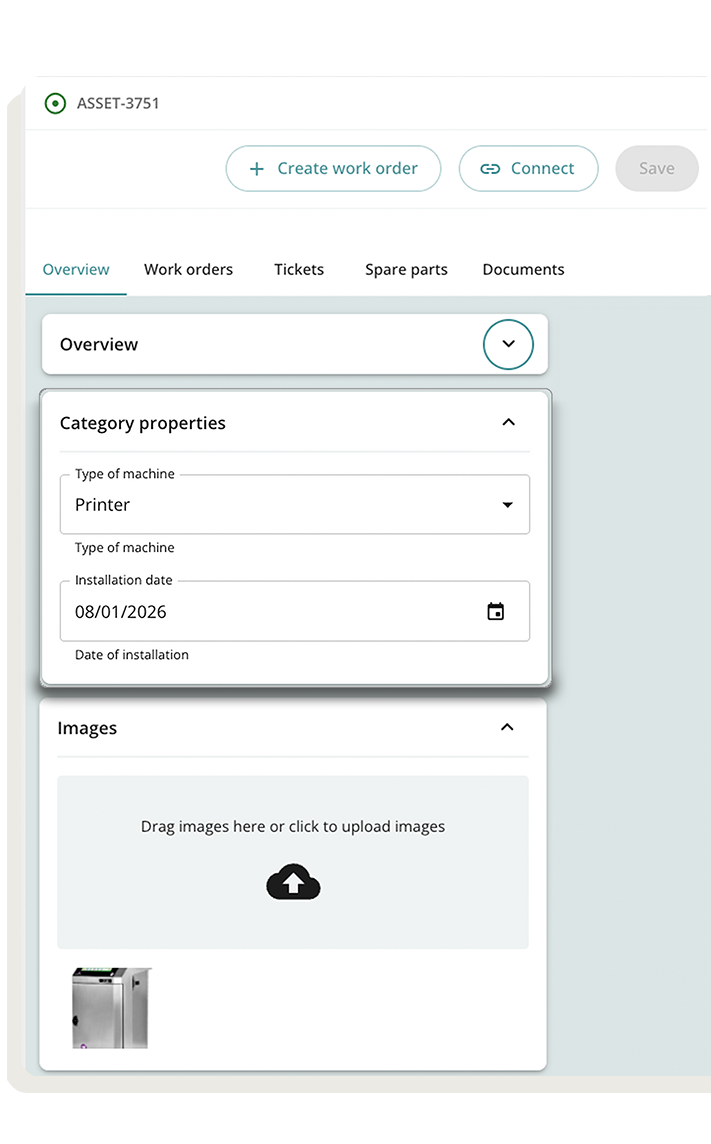
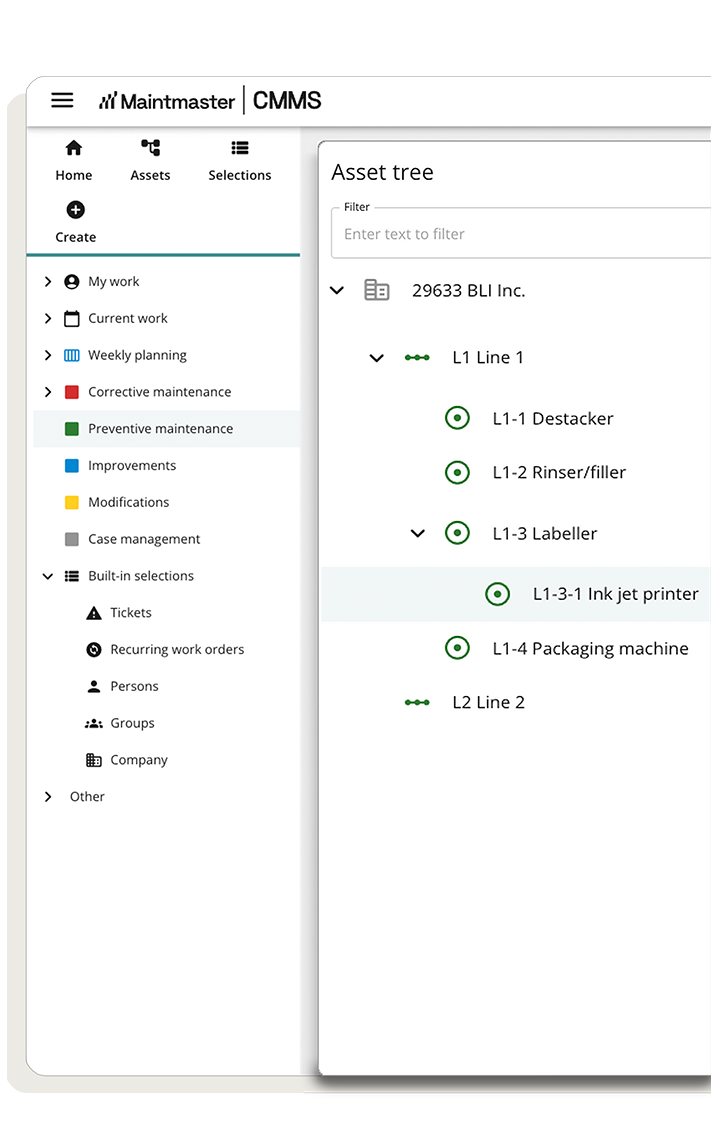
Your asset register gives the team one place to find past work, upcoming jobs, documents and spare parts for each piece of equipment. In the field, technicians can scan the asset's QR code and open the correct record immediately.
Everyone works from the same record, so nothing about a machine is scattered across paper, spreadsheets or memory.
2026-10-CMMS-10_asset-register
Tickets and work orders

Capture the problem before it gets lost

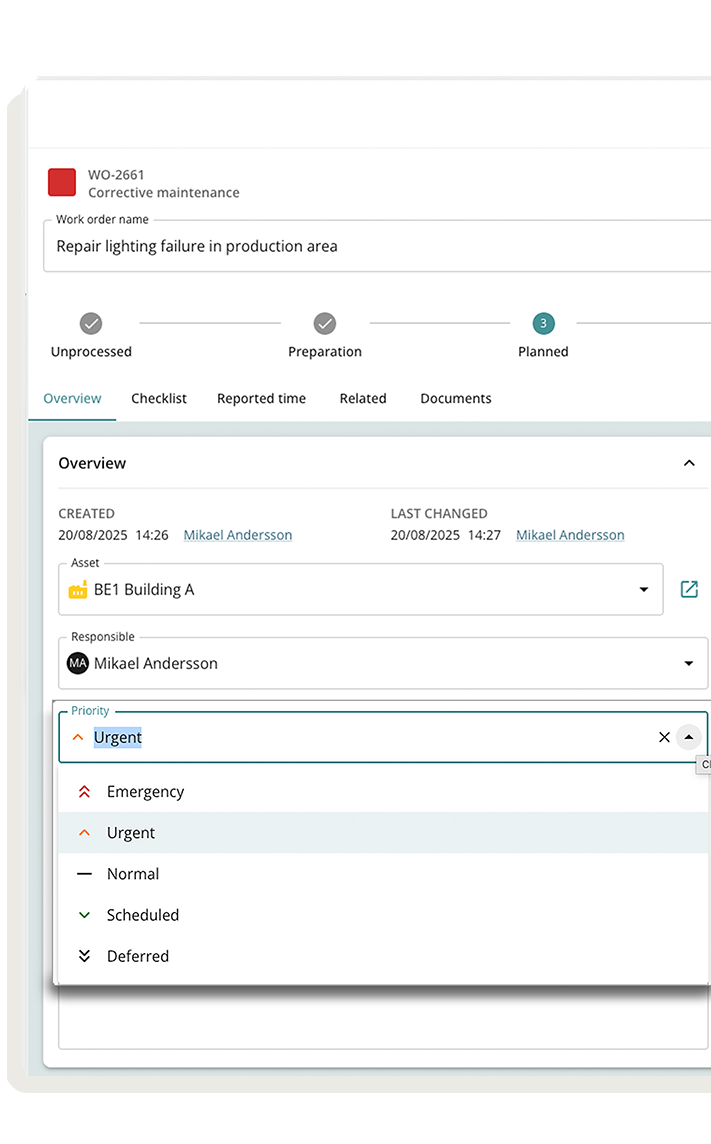
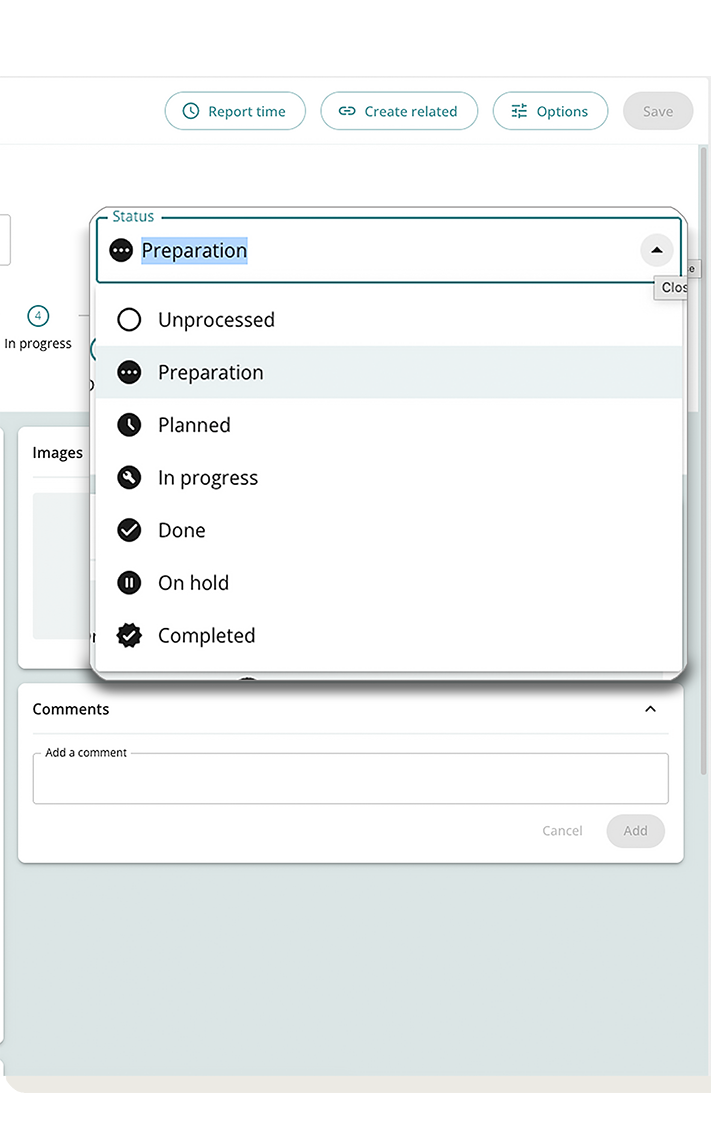
Operators can report faults without creating full work orders. Maintenance decides what needs action, turns it into planned work and keeps the original report linked for context.
More people can report problems, while maintenance stays in control of what becomes work.


Before Faults arrive by conversation, message or paper note. Maintenance has to chase the details and work out what needs doing.
With CMMS 10 The fault is recorded against the right asset, reviewed by maintenance and turned into work without losing the original report.
Preventive maintenance and planning

See what is due before it becomes urgent

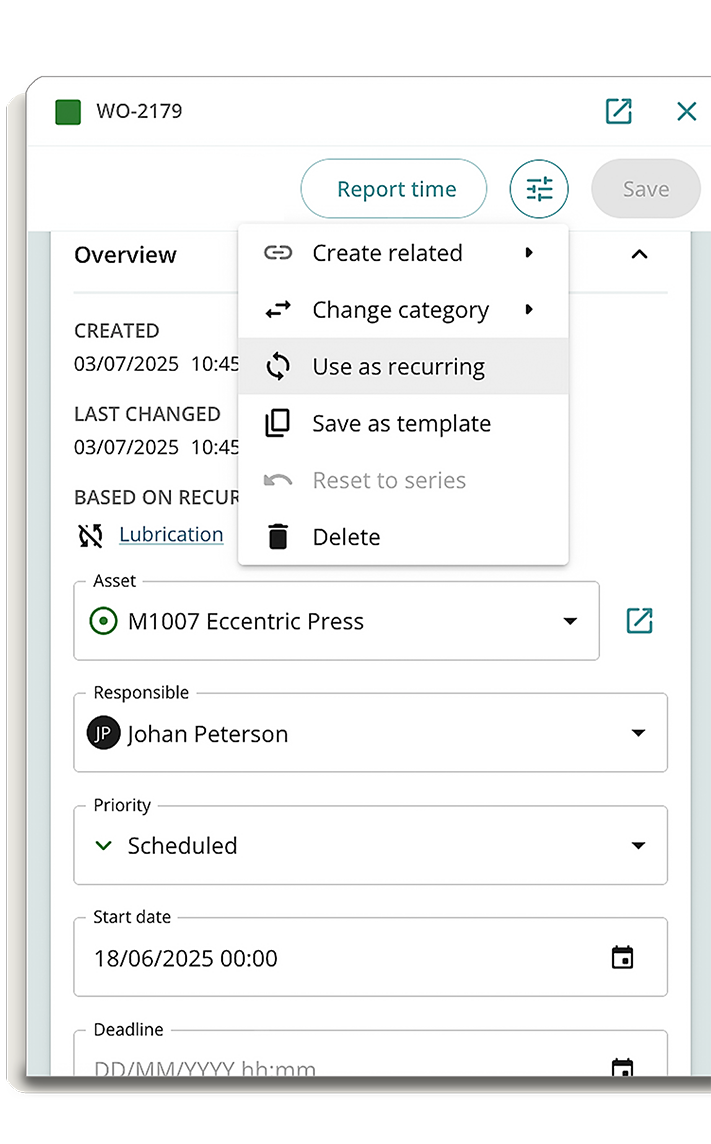
Set up recurring inspections and service work, then see upcoming jobs in the planning calendar. When priorities change, move work between dates and people without rebuilding the schedule.
Spend less time reacting to overdue work and more time planning ahead.

Recurring maintenance runs today on a schedule. Maintenance based on running hours or operating values is planned.
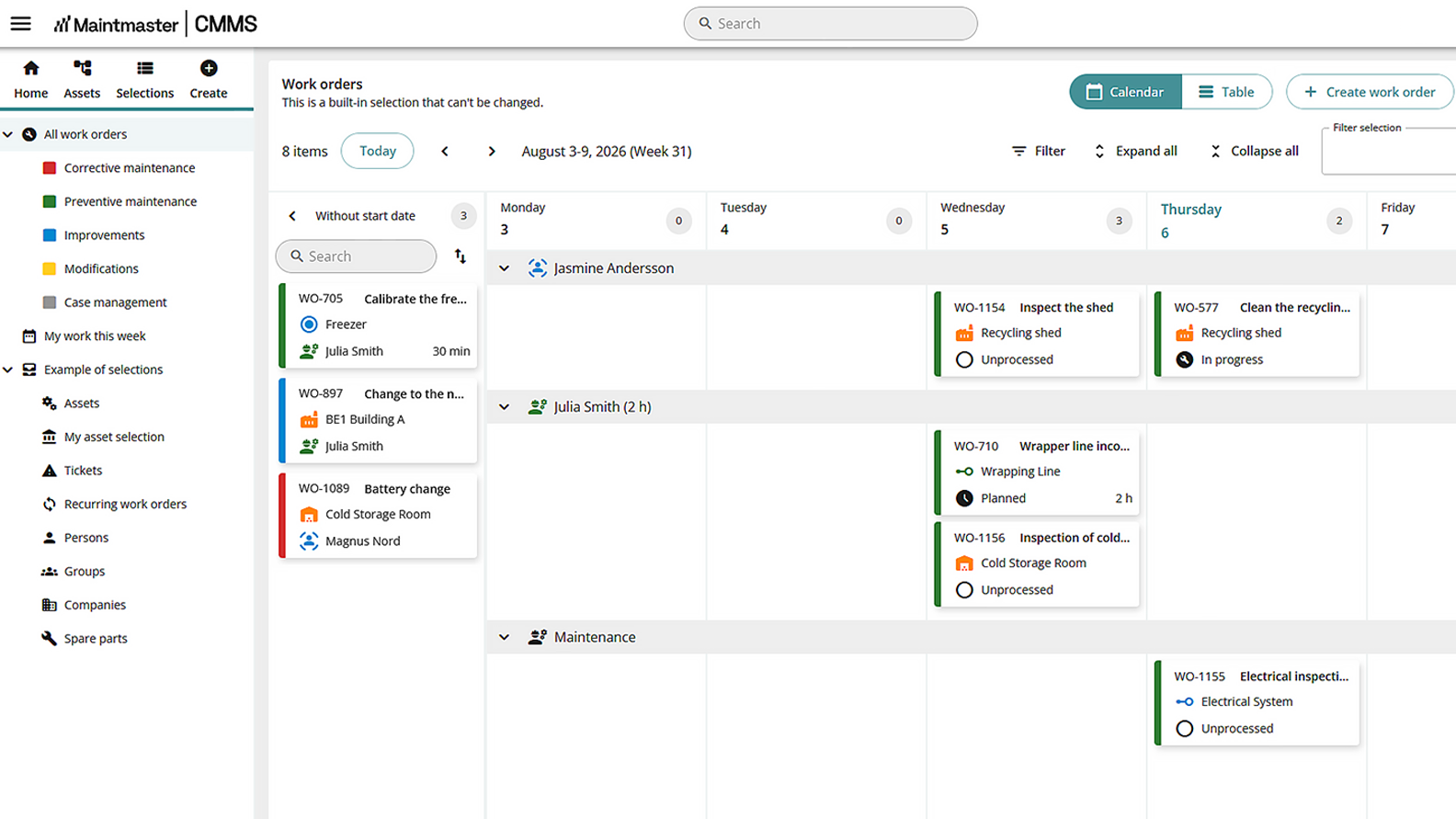
2026-10-CMMS-10_planning-calendar-crop
Checklists

Make sure work is completed the same way every time

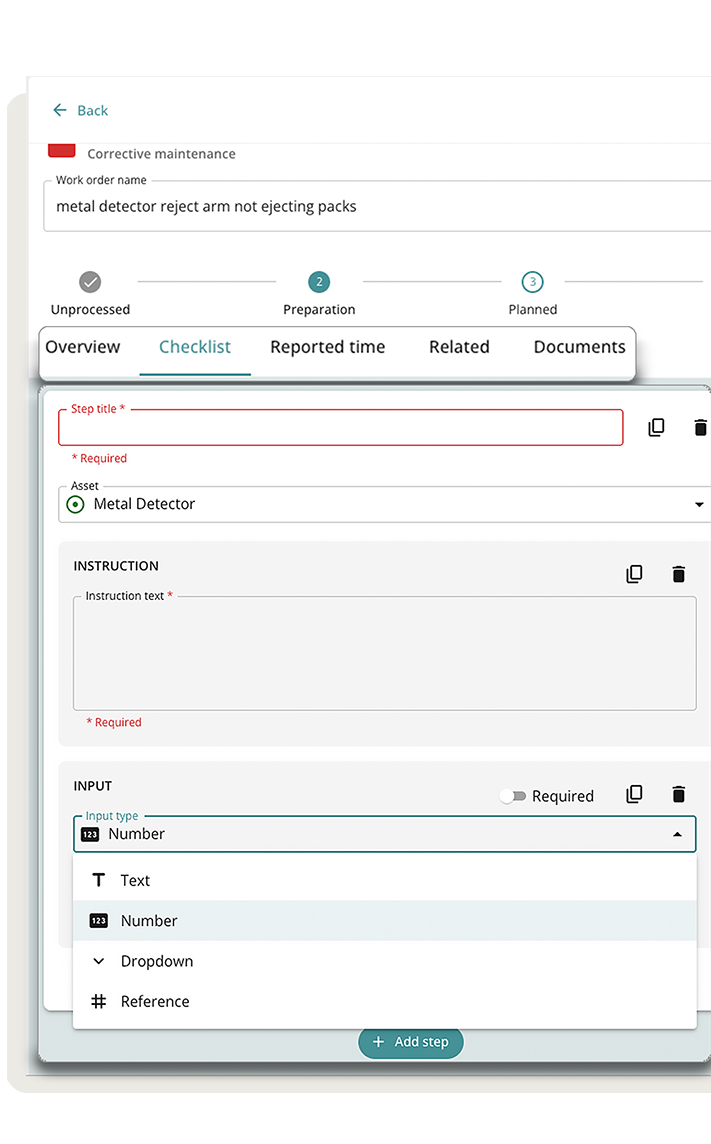
Give technicians clear steps to follow, record measurements and add photos while the work is being done. When something is not right, they can raise follow-up work immediately without entering the same information again.
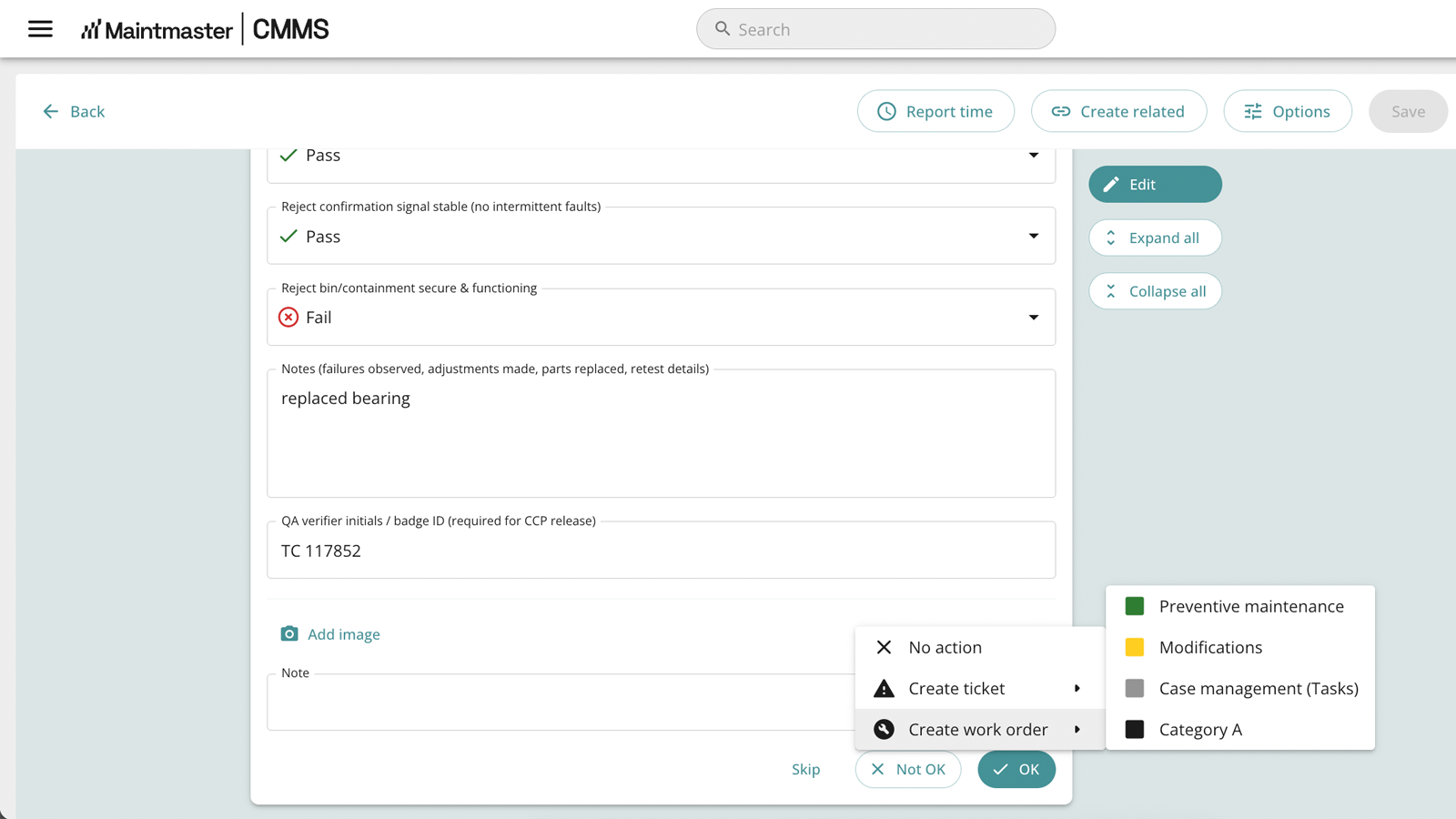
What happensA technician finds a problem during an inspection.
What CMMS 10 doesThey create follow-up work directly from the failed step, and still complete the inspection.
Why it mattersThe issue is less likely to be forgotten, and the result stays connected to the original inspection.
A consistent record of what was checked, what failed and what happened next.
CMMS-10_Checklist-fail-create-follow-up
A more visual way to control complex work

Keep multi-step work in the right order
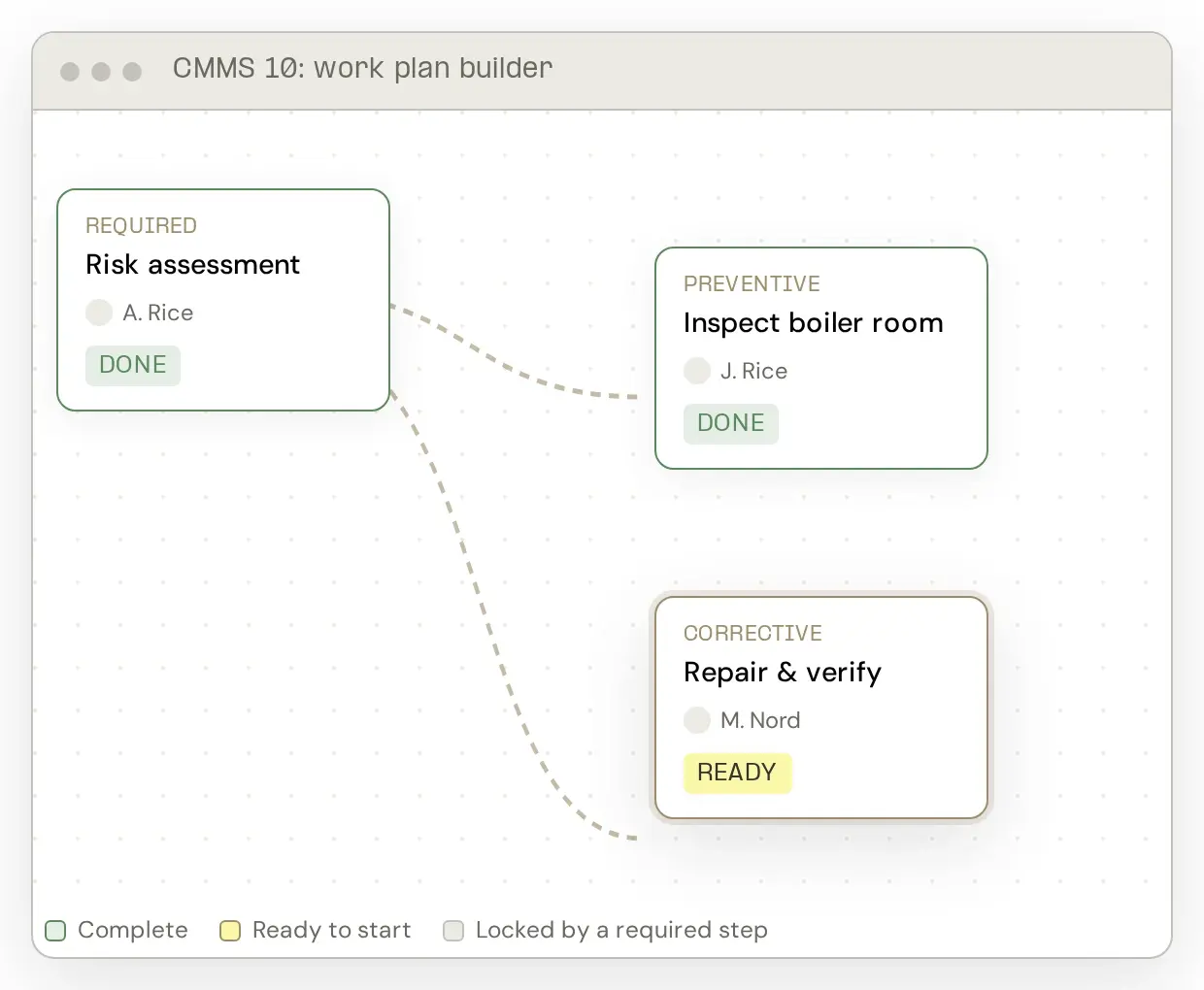
Set up a sequence of linked jobs for work that involves several steps or people. Required checks can be completed before later work begins, and the same sequence can be reused whenever the job comes up again.
CMMS10_work_plan_builder_white

Complete safety checks first

Make sure a risk assessment or preparation step is finished before repair work begins.

Coordinate several people

Assign different parts of a larger job while keeping one person responsible for the overall work.

Repeat the process

Reuse the same sequence for planned shutdowns, inspections or recurring maintenance.

Spare parts and stockrooms

Know what the job needs and where to find it

Add the required parts to the work order before the job starts. Technicians can see where the parts are stored, record what they use and return anything they do not need.

Reduce time spent searching for parts and keep usage linked to the maintenance work.

Additional stock control and inventory management features are planned.
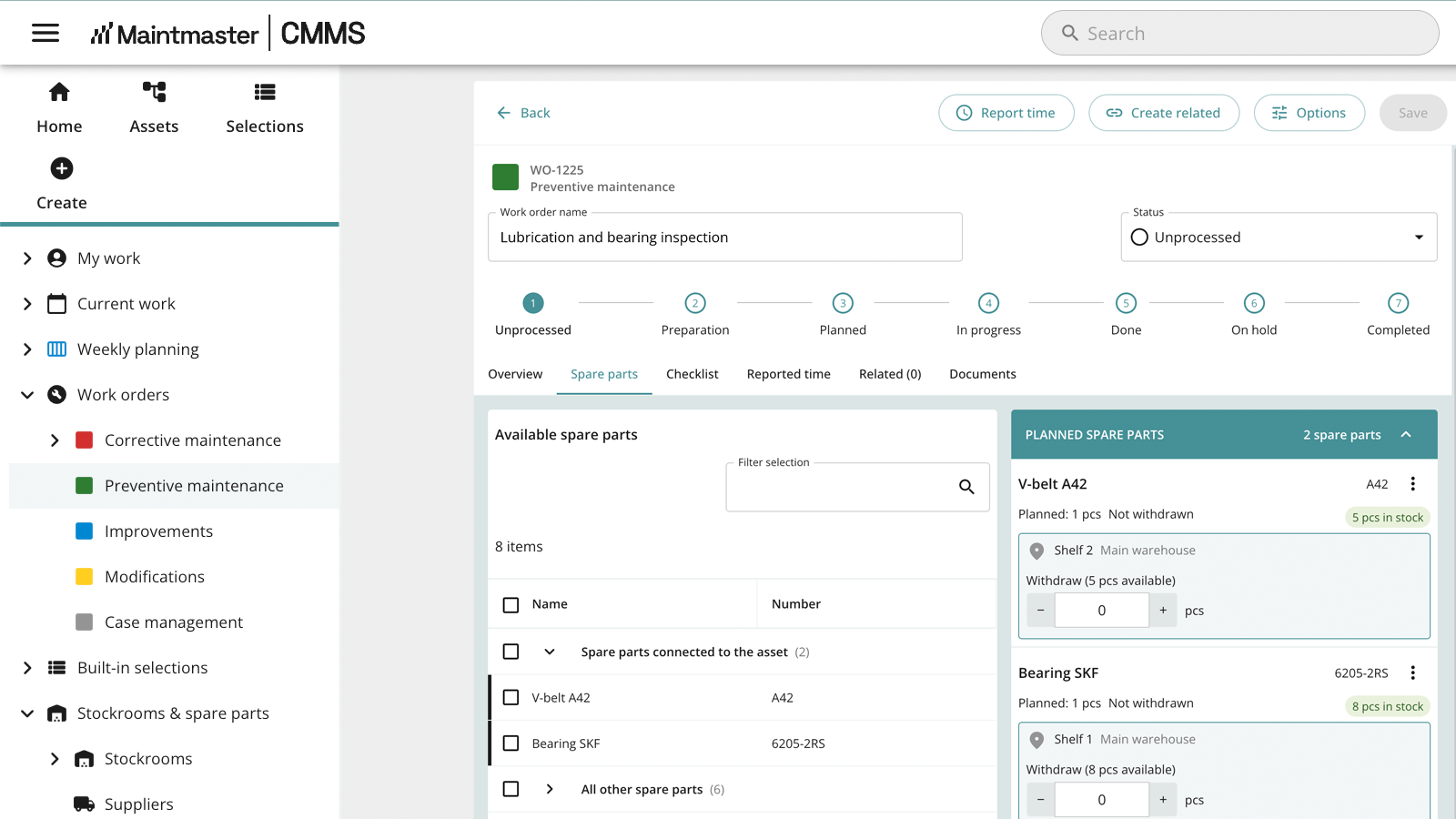
2026-10-WO-planned-spare-parts
Reliable records

Structure that drives better maintenance decisions

Give technicians a clear, consistent way to record completed work.
Capture the information that matters without unnecessary admin, giving managers a more reliable view of asset history, recurring issues and maintenance performance.
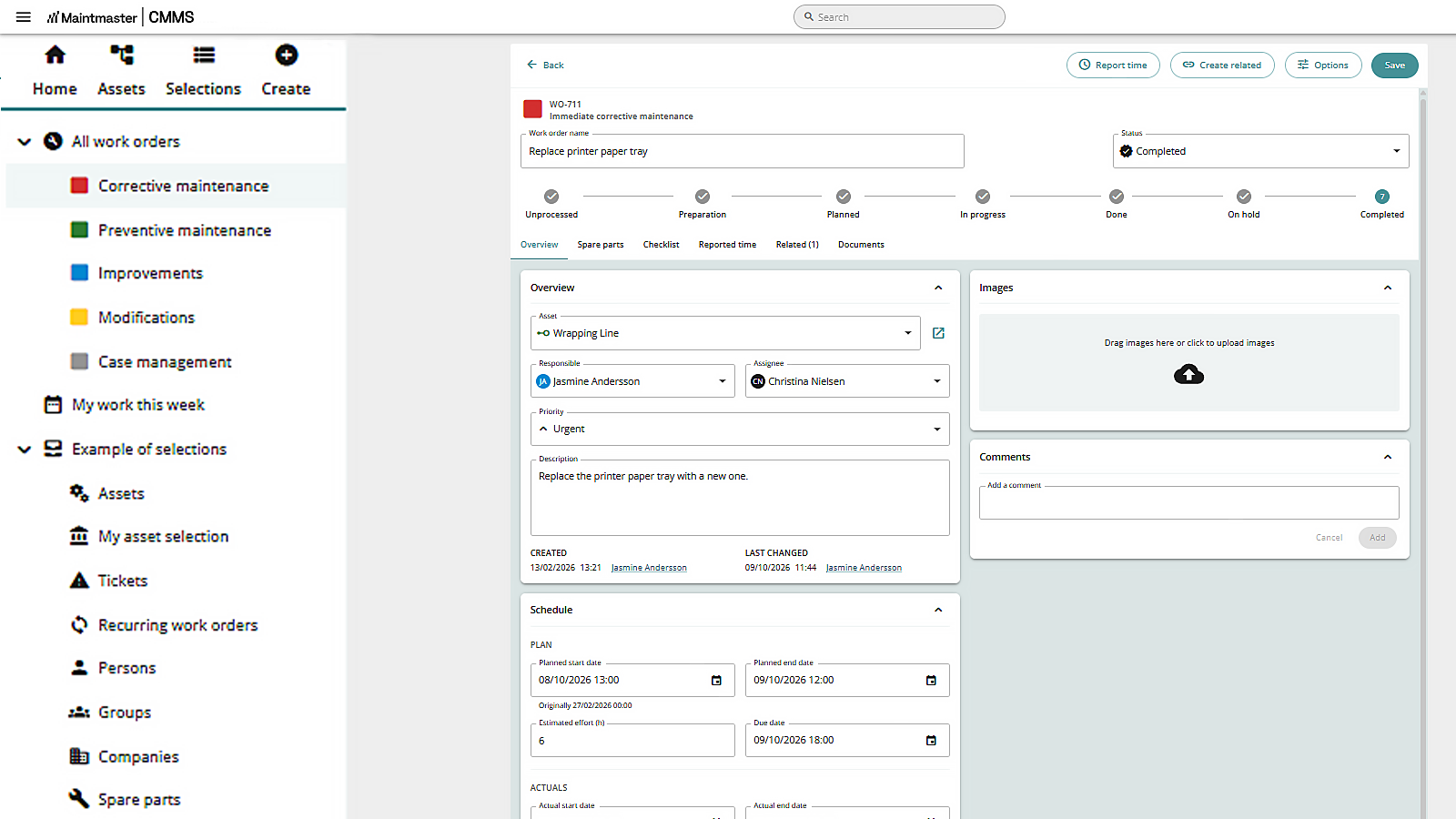
Reliable records make it easier to spot patterns, understand performance and decide where maintenance effort should go.
2026-10-cmms-10-completed-WO-with-Recorded-time
Mobile working

Put the right information in your technicians’ hands
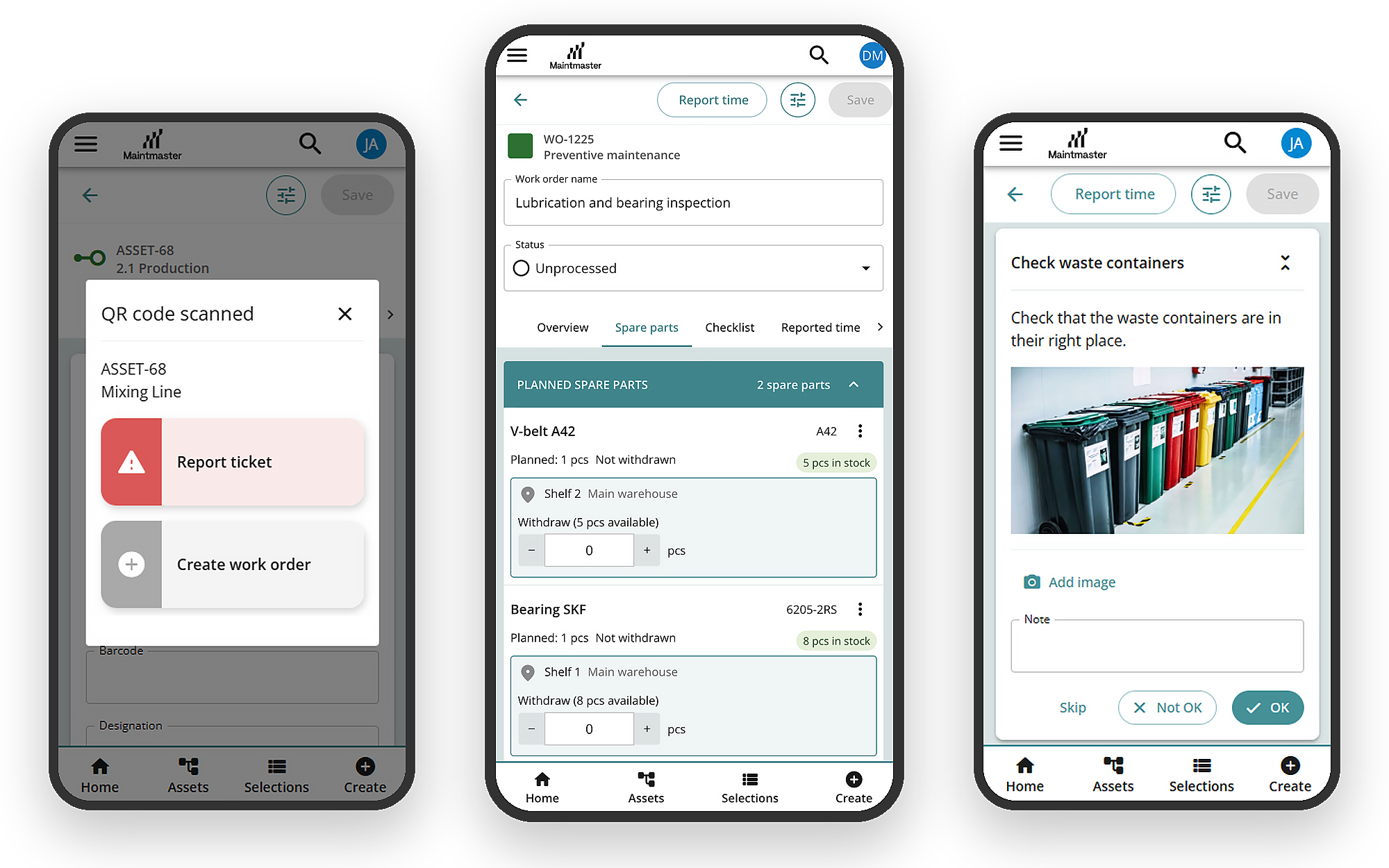
Operators and technicians can report faults, open jobs, complete checklists, add photos and record parts without returning to a desk. Scan an asset QR code to jump straight to the right equipment.
Give the people doing the work the information they need while they are standing at the asset.
2026-10-cmms10-mobile-composite-EN
Who is it for

Built for maintenance teams that want a system they can actually use

CMMS 10 is designed for teams that want to get started quickly, keep maintenance work consistent and avoid spending unnecessary time configuring software.

A good fit when

✓

Maintenance data sits across paper, spreadsheets and systems

✓

Fault follow-up is inconsistent

✓

Preventive work is difficult to plan

✓

Teams lack one consistent way of working

Built for

Industry

Manufacturing, process and food & beverage

Scale

From a single line to a large plant

Teams

Maintenance and production working together

Future development

More capability as your maintenance needs grow

CMMS 10 is continuing to develop in the areas customers ask for most, including inspections, maintenance based on equipment use, reporting, integrations, planning and stock control.

Review inspection results over time

Reuse checklists, compare results and keep a clearer inspection history.

Plan work from equipment use

Create maintenance from running hours or operating values, not only calendar dates.

Connect maintenance data

Share information with other systems and get a clearer view of maintenance performance.

Improve planning and stock control

Build on work plans, spare parts and stockroom management as the product develops.

Planned capabilities may change as development progresses. Interested in how CMMS 10 fits a larger or multi-site operation? Talk to us about the wider Maintmaster model.

Book a demo

Stop fighting your software.

Start fixing your assets.

Work orders that mean something. 
Checklists that capture real execution.
Stock control that supports your work.

Stop relying on memory

Build step-by-step checklists with images, measured values and clear OK / Not OK logic. Ensure every job is executed consistently, and that deviations trigger the right follow-up actions.

Plan work faster and stay aligned

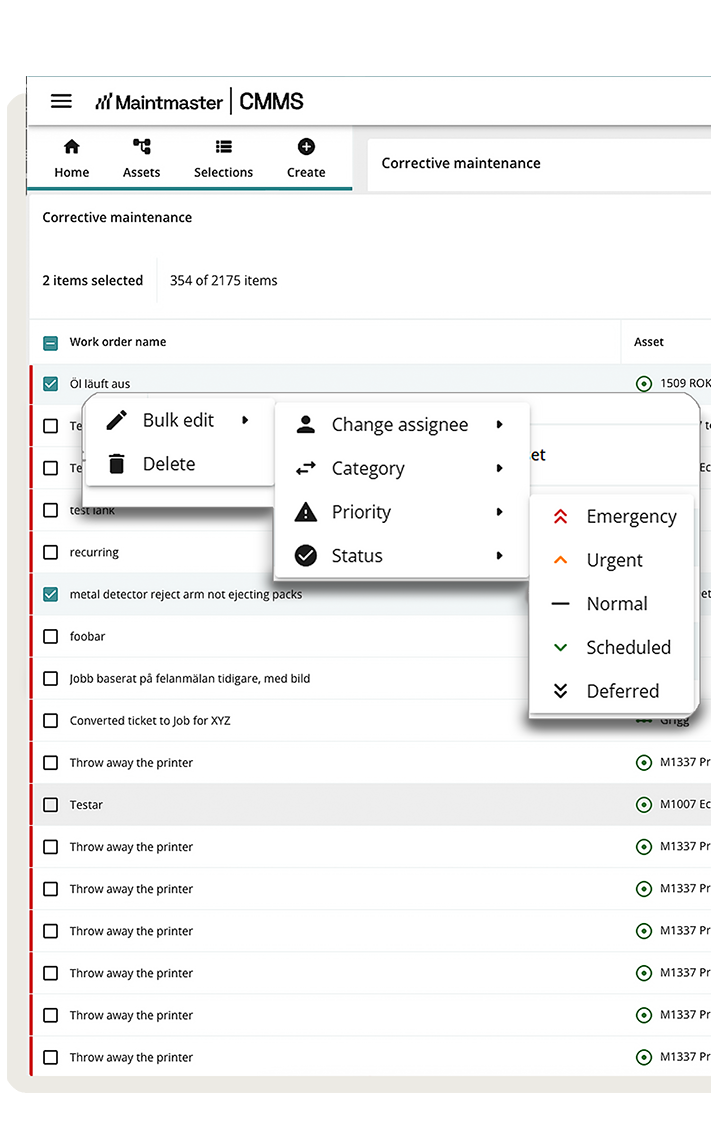
Maintenance plans rarely stay fixed. Work moves, priorities change, and teams need to stay aligned. CMMS 10 makes it easy to reschedule work with drag-and-drop planning, adjust priorities and keep teams aligned as the day evolves.

Manage spare parts and stockrooms clearly

Keep spare parts and stock locations structured, organised and easy to manage.
Record materials by location and stock levels, and link them directly to the assets they support, so jobs don’t stall waiting on parts.

2026-10-Maintmaster-projects-implementation-team-cmms-10-Cutout
Implementation and support

We are here to support your journey

Our team helps you set up CMMS 10, train key users and build confidence before expanding how the system is used. CMMS 10 is backed by Maintmaster's experience working with maintenance teams in manufacturing.

And the best part? You’ll be up and running after the very first step.

Maintmaster, behind CMMS 10

700+

Manufacturers use Maintmaster

39

Countries

20+

Years of experience

integration-other-systems-en

Connect manufacturing excellence

Integrate your existing systems like accounts, stock, suppliers, or purchasing with expert roadmaps and flawless functionality.

Learn more about our integrations

Next Step

See how CMMS 10 would work for your team

Book a demo and we will show how CMMS 10 can help you manage assets, planned work, reported faults, inspections and spare parts.