



The auditor asks to see the inspection record for one of your forklifts. Someone goes to find the folder. The last entry is in handwriting nobody recognises. The one before it is missing. Nothing has broken down, but you cannot prove the work was done, and you are not completely sure it was.
That is the moment many maintenance teams start looking at preventive maintenance software. This article helps you decide whether you need it, what it has to do, and how to tell afterwards whether it is working.
What you are trying to achieve
The goal is simple to say. Every preventive job is done when it is due, by the right person. Afterwards there is a record that shows what was done, when and by whom.
When that works, fewer jobs arrive as breakdowns. Repairs become work you plan instead of work that interrupts you. And an audit becomes a report you print, not a week of searching.
If you have not yet written the plan itself, start with our step-by-step guide to a preventive maintenance plan. This article is about what happens next: keeping that plan alive.
Why paper and spreadsheets stop working
A paper schedule or a spreadsheet can hold a plan. What it cannot do is act on it. Somebody has to open it, notice that a job is due, and pass it to the right technician. When that person is on holiday, busy with a breakdown or has left the company, the plan stops.
Bedgrow, a UK grower and packer that supplies supermarkets, knew this well. Asked what made them look for something better, their H&S Manager Geoff Kynaston-Stear answered in three words: "pen and paper."
Their paper system largely relied on people remembering to do things. Machinery repairs were largely reactive. And as a food business with supermarket customers, they faced rigorous audits. With pen and paper, proving that machinery was maintained to the right standard was difficult.
That is the real cost. It is not only the breakdown you did not prevent. It is also the risk you carry because you cannot show your work. We cover the wider case for moving off paper in how digitalisation improves maintenance efficiency.
Five signs your preventive maintenance has outgrown paper
You do not need software to check these. Answer them honestly for your own site.
- Jobs happen because someone remembered them. If a service was done on time because a technician happened to recall it, your plan depends on memory, not on the schedule.
- You cannot quickly answer "when was this last serviced?" If the answer takes a search through folders or old emails, you have no usable history.
- Audit preparation takes days. Proof of maintenance should already exist. It should not be assembled before each visit.
- Most of your work orders are breakdowns. A high share of breakdown maintenance usually means preventive jobs are being missed or delayed.
- The plan lives in one person's head. When that person retires, the plan retires with them. We wrote about this risk in why maintenance knowledge should not walk out the door.
If two or more of these are true, a better folder will not fix it. The problem is that nothing reminds, assigns or records the work for you.
What preventive maintenance software has to do
Many tools call themselves preventive maintenance software. Use these six questions to test any of them, including ours.
Does it create the job, or does it wait for you? The schedule should generate each job when it falls due. Nobody should have to remember to open the plan.
Does the job reach the person responsible? A due job that sits in a list is no better than a line in a spreadsheet. It has to arrive with the technician who will do it.
Does it keep the history of every machine? Each completed job should add to a record you can search. That record is what answers the auditor, and what shows you which machines keep coming back.
Can technicians use it at the machine? If people must walk back to a desk to record their work, records will be late or missing. A phone or tablet removes that step.
Does it show the balance between preventive and corrective work? You need to see whether the share of planned work is growing. Without that figure, you cannot tell if the change is working.
Can you change the schedule yourself? Your machines, intervals and inspections will change. If every change needs the supplier or a consultant, the plan will slowly drift away from reality.
For a broader checklist of what to ask a supplier, see how to evaluate a CMMS.
How to tell whether it is working
Decide on your measures before you start, and record where you are today. Three are enough to begin with.
The share of preventive maintenance. This is the proportion of all maintenance work that was planned in advance. Wilkinson Sword, the razor blade manufacturer, replaced handwritten maintenance records with a digital system. They raised their share of preventive maintenance from 3% to 10%, in a company with many special machines. You can read how Wilkinson Sword did it.
The immediate corrective maintenance ratio. This is the number of urgent repair jobs compared with all maintenance jobs. As preventive work takes hold, this ratio should fall.
Mean Time Between Failures (MTBF). MTBF is the average operating time between breakdowns of a machine. It moves slowly, so give it months rather than weeks. Our guide explains how to calculate MTBF, and you can find more measures in our overview of key maintenance KPIs.
Start with the work you have to prove
You do not have to move everything at once. Start where the risk is highest: statutory inspections, safety-critical equipment and the machines that stop production when they fail.
Glas Trösch, the Swiss glass manufacturer, faced a harder version of this problem. "Each site had its own solution for managing maintenance activities," said Manuel Spiliotis, Project Manager Process Engineering. Each site could decide how far to go. Some began with fault reports only. 15 of their 20 sites moved to the same system, and teams that mostly did corrective work started to focus on preventive maintenance. Read the Glas Trösch story.
The lesson is to start small, but start with the jobs that matter most.
Where Maintmaster CMMS fits
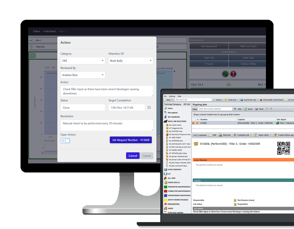
We at Maintmaster built Maintmaster CMMS for teams in exactly this position. Maintenance plans generate jobs and send them to the responsible technician. Every completed job adds to the history of that machine. Technicians record their work on a phone or tablet at the machine. And the reports show you the balance between preventive and corrective work.
At Bedgrow, three engineers now use it to record breakdowns, improvements and preventive maintenance, on both tablets and PC. They adjust the preventive schedule themselves, including the inspections they are required to carry out. As Geoff Kynaston-Stear put it: "Your system will work to whatever we want." Read how Bedgrow moved off pen and paper.
You can read more about what a CMMS is and how teams use it on our CMMS overview page.
The short version
If your preventive maintenance depends on paper and on people remembering, it will slip. The work that slips shows up later as breakdowns and as audits you cannot answer. Software fixes that only if it creates the job, sends it to the right person and keeps the record.
